Prioritize High Impact Assessment Security for HR: Start With Tier 3

Not every skills test carries the same risk, so the smartest posture is a risk-tiered program: apply light checks to low-stakes screens and heavy controls to high-stakes, high-volume roles. Three things to do this week: enforce identity continuity (ID plus selfie match) on any test tied to a final hiring decision, turn on automated data retention with deletion logs, and make sure every flagged session gets a human review before it affects a candidate.
TL;DR:
- Low-stakes assessments for high-volume roles should rely on minimal identity checks and automated flagging, while high-stakes roles require full identity verification and human review.
- Combining multiple signals like gaze tracking, audio analysis, and device fingerprinting creates layered security that is harder to spoof and provides explainable evidence for review.
- Designing tests with rotating questions, scenario-based problems, and timed steps reduces the effectiveness of cheating tools and answer sharing.
- Candidate data should be retained for 12 to 24 months with strict encryption, access logs, and automatic deletion to minimize security risks.
- Using tiered controls and clear candidate communication before assessment rollout helps prevent adverse impacts on protected groups and ensures proper security scale.
Table of Contents
- What Are Assessment Security Best Practices?
- How Should You Tier Assessment Risk?
- What Identity and Proctoring Controls Actually Work?
- How Do You Design Tests That Resist Cheating?
- How Long Should You Keep Candidate Assessment Data?
- What Vendor and Access Controls Should You Require?
- How Do You Monitor for Cheating at Scale?
- How Should You Roll Out New Security Controls?
- Why This Matters More Than Most Security Checklists Admit
- Put These Security Practices to Work With Talent Approved
- Sources
- FAQ
What Are Assessment Security Best Practices?
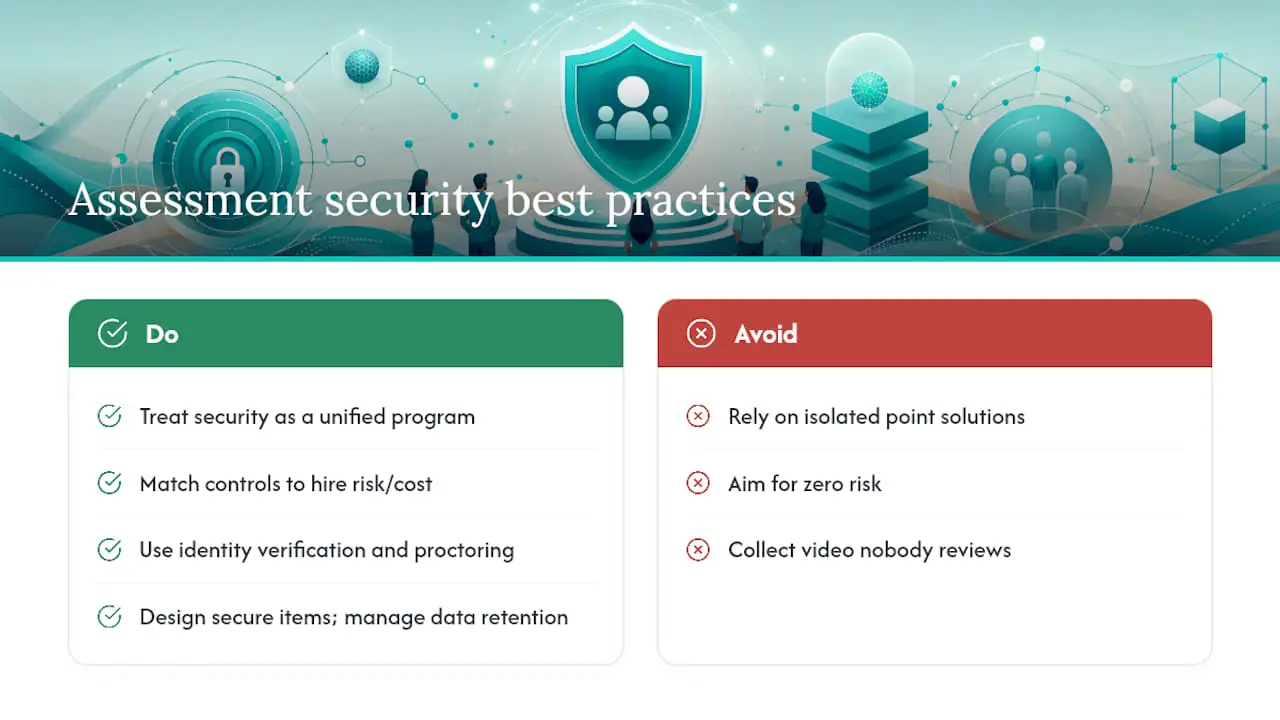
Assessment security best practices are the specific controls, HR teams and hiring managers use to protect the integrity of online skills tests and the privacy of candidate data during that process. That covers identity verification, proctoring, item design, data retention, vendor vetting, and how flagged sessions get reviewed. The discipline sits at the intersection of test security best practices and data protection strategies, and treating it as one unified program, rather than a patchwork of point solutions, is what separates teams that catch cheating from teams that just collect video nobody watches.
The goal isn’t zero risk. It’s matching the cost of your controls to the cost of getting a hire wrong.
How Should You Tier Assessment Risk?
Not every role justifies government ID checks and webcam monitoring. A Tier 1 screen for an entry-level, high-volume role (100+ applicants, low individual stakes) needs light identity checks and basic browser monitoring. A Tier 2 mid-level technical or sales assessment warrants stronger identity continuity and multi-signal proctoring. Tier 3 covers final-round, high-stakes, or highly compensated roles, where the cost of a bad hire or a coached candidate is steep enough to justify full identity verification, layered proctoring, and mandatory human review of every flag.
- Tier 1: lightweight ID check, standard browser lockdown, automated flagging only
- Tier 2: selfie match against ID, session recording, behavioral baseline comparison
- Tier 3: government ID plus live selfie match, full multi-signal proctoring, 100% human review before rejection
Future-proofing your program means building modular controls you can dial up or down by tier rather than rebuilding assessments from scratch. Pilot your Tier 3 process first, since that’s where a security assessment guideline failure does the most damage, then use early results to calibrate building a high-performing sales team Tiers 1 and 2.
What Identity and Proctoring Controls Actually Work?
Identity continuity is the foundation. A short calibration clip at the start of a test, followed by periodic selfie checks, catches the most common cheating pattern: someone else finishing the test after the real candidate logs in. For Tier 3 roles, pair that with a government ID plus live selfie match at the start.
Multi-signal proctoring beats any single data stream. Combining video, audio, screen telemetry, and keystroke patterns against a candidate’s own behavioral baseline produces layered security signals that are far harder to spoof than webcam footage alone, and they generate explainable evidence a reviewer can actually act on instead of a vague “suspicious” tag.
- Use lockdown browsers for Tier 3 tests; flag (don’t auto-fail) tab switches and clipboard events for Tier 2
- Combine gaze tracking, audio anomaly detection, and device fingerprinting for the strongest signal set
- Run every proctoring flow through assistive-tech testing before launch, with an alternate verification path for candidates who can’t use standard webcam checks
Pro Tip: Run your own proctoring setup through a screen reader and a low-bandwidth connection before you launch it. If your team can’t complete the test smoothly, plenty of candidates won’t either, and you’ll rack up false-positive flags that have nothing to do with cheating.
How Do You Design Tests That Resist Cheating?
Good design does more to stop cheating than any monitoring tool bolted on afterward. Four moves matter most:
- Rotate large item banks and retire questions once analytics show they’re circulating online or triggering unusually fast, unusually correct answers.
- Build scenario-based, multi-step problems using proprietary context, like a fictional product brief or dataset unique to your assessment, so scripted answers from AI tools or forums stop working.
- Apply per-question timers tied to realistic task duration, which limits how much a candidate can outsource mid-question without breaking the flow.
- Mix synchronous and asynchronous steps, pairing a timed live segment with a take-home component, so you can triangulate whether the same skill level shows up in both.
This is where plagiarism detection in assessments earns its keep: identical answer strings across candidates, or answers that match known public sources, are far easier to catch when your item bank rotates regularly instead of running the same fixed question set for two years straight. A candidate evaluation checklist helps keep design consistent across roles as you scale this.
How Long Should You Keep Candidate Assessment Data?
Every piece of assessment data you keep is a piece of data you’re liable for if it leaks. Recorded video, transcripts, and biometric-adjacent artifacts are effectively irreversible once exposed, so minimizing collection of anything beyond what a role actually requires isn’t optional caution, it’s basic data protection strategy.
- Set default retention windows in months, not years, with automated deletion tied to hiring-decision milestones
- Encrypt sensitive fields at the column level and enforce TLS 1.3 for all data in transit
- Prefer customer-managed encryption keys where your vendor supports them
- Log every access and export event with user, timestamp, IP address, and stated reason
Documented retention guidance commonly points to 12 to 24 months for unsuccessful applicants, with verifiable erasure logs covering videos, transcripts, and backups, not just the primary database. If your vendor can’t produce a deletion log on request, that’s a real gap in your security risk assessment measures, not a minor paperwork issue.
What Vendor and Access Controls Should You Require?
Strong assessment design means nothing if the platform behind it has weak access controls or a vendor with no security track record. Procurement and IT should require the same baseline you’d demand of any system touching sensitive data.
- Confirm SOC 2 Type II or ISO 27001 attestation, a signed data processing agreement, a current subprocessors list, and breach notification SLAs of 24 to 72 hours
- Enforce SSO with MFA, role-based access control, and short-lived OAuth tokens for any integration, auditing connected apps quarterly
- Add the assessment platform explicitly to your incident-response plan, with playbooks for detection, containment, and candidate notification
- Restrict bulk data exports behind an approval workflow rather than leaving them open to any logged-in user
These aren’t abstract IT concerns. Hardened authentication and centralized audit logging are what let you answer a regulator’s question or a candidate’s data request in hours instead of weeks.
How Do You Monitor for Cheating at Scale?
An integrity dashboard tracking flag rate, flag type, and resolution outcome over time turns anecdote into evidence. Watch for identical response patterns across candidates, device fingerprints reused across supposedly unrelated sessions, and response speeds that don’t match task difficulty.
- Track percentage of sessions flagged, breakdown by flag type, and time-to-resolution
- Route every flagged session through human adjudication before any rejection decision
- Give candidates a structured way to dispute a flag with evidence
AI-generated flags work best as triage, surfacing explainable evidence for a person to weigh, not as an automated rejection engine, which NIST’s responsible AI guidance treats as a baseline requirement for any automated system affecting real people.
Pro Tip: Review your dashboard’s false-positive rate monthly, not just the flag count. A rising flag rate with a flat resolution rate usually means your rules need retuning, not that cheating suddenly spiked.
How Should You Roll Out New Security Controls?
Start narrow, communicate clearly, then scale.
- Tell candidates upfront what’s collected, why, how long it’s kept, and how to request accommodations before the test starts.
- Provide equipment checklists and a practice run so technical issues don’t get mistaken for suspicious behavior.
- Pilot by role or region first, tracking abandonment rates and adverse-impact metrics before wider rollout.
- Test every proctoring flow with assistive technology and publish a clear accommodation path.
Watch selection rates by group as you scale. If any protected group’s selection rate drops below 80% of the highest group’s rate, that’s an adverse impact signal worth investigating before you roll controls out further, and accessibility testing upfront usually prevents that problem entirely.
Why This Matters More Than Most Security Checklists Admit
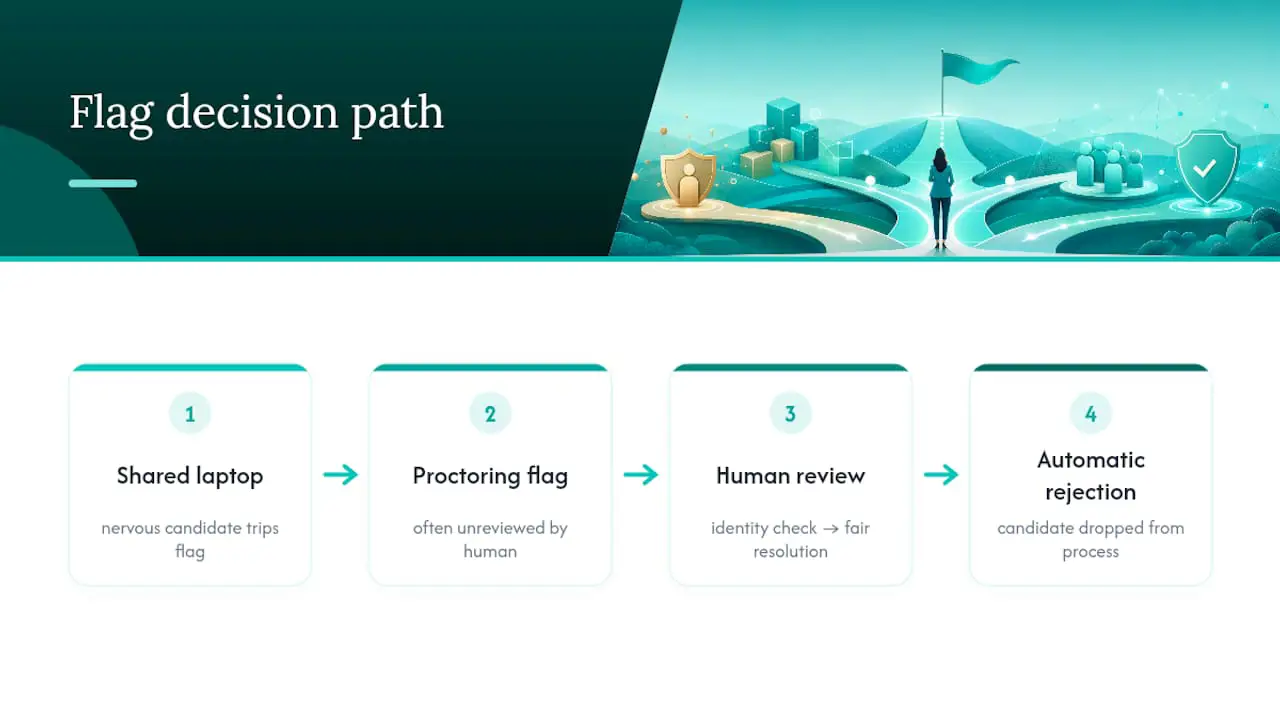
Most security assessment guidelines HR teams get handed read like they were written for a data center, not a hiring pipeline. They talk about encryption and access logs, and skip the part where a nervous candidate on a shared laptop trips a proctoring flag that never gets reviewed by a human, and quietly gets dropped from the process. That’s not a security win. It’s a hiring failure wearing a security badge.
The uncomfortable truth is that most cheating isn’t sophisticated. It’s someone sharing a screen with a friend, or a coached candidate reading from a second monitor. Elaborate anti-cheat systems built to catch nation-state-level fraud often miss that, while adding friction for legitimate candidates who just have bad internet or need a screen reader. The fix isn’t more monitoring. It’s better-designed questions, tighter identity continuity at the moments that matter, and a human who actually looks at the flag before anyone gets rejected.
Building assessments with Magic Create at Talent Approved, generating role-specific tests from a job description in minutes, forces a useful discipline: when the test itself is well-designed and tied to real job tasks, you need far less monitoring to catch fraud, because there’s less generic, googleable content to cheat with in the first place.
— Jimmie
Put These Security Practices to Work With Talent Approved
Every control this guide describes, tiered identity checks, layered proctoring, retention rules with audit logs, maps directly to how platforms like Talent Approved are built. Some platforms offer tools that generate role-specific assessments from a job description in minutes, which cuts down on generic, easily-searched questions before you even think about proctoring. Built-in anti-cheat tools that include screen and webcam monitoring, session replays, and AI-generated summaries can give reviewers explainable evidence instead of a raw video file to watch end to end.
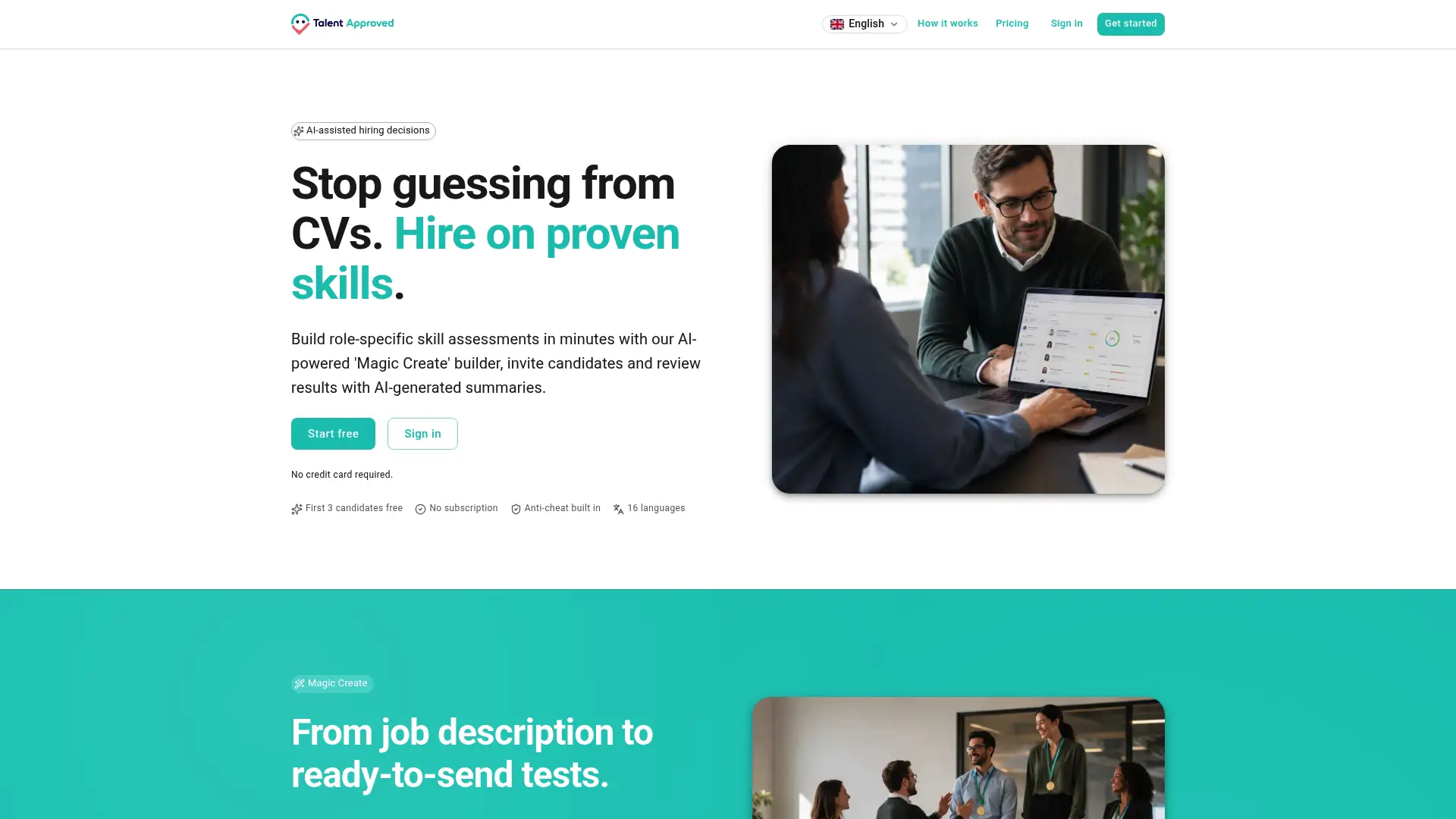
There’s no subscription to commit to. Some assessment platforms run on a pay-as-you-go model with a per completed candidate fee, allowing you to pilot a single high-stakes role before rolling controls out further. If you’re ready to test this on your next Tier 3 hire, review pricing and skill assessments and start with one role this month.
Sources
- GDPR data retention guidance
- Future‑Proofing Your Assessment Platform for the Next Wave of Cheating Tools
- Protecting your hiring data: ATS security checklist
FAQ
What Is the First Step in Assessment Security?
Start by tiering your assessments by risk, then apply identity verification and proctoring intensity that matches each tier rather than using one standard for every role.
How Long Should Candidate Video Be Retained?
Common practice sets retention at 12 to 24 months for unsuccessful applicants, with automated deletion and a verifiable erasure log covering videos, transcripts, and backups.
Does Talent Approved Include Anti-Cheat Tools?
Yes. Talent Approved includes built-in anti-cheat mechanisms with screen and webcam monitoring, session replays, and AI-generated summaries to support human review of flagged sessions.
Should AI Flag Cheating Automatically?
No. AI-generated flags should function as a triage layer that surfaces explainable evidence, with a human reviewer making the final call on any decision affecting a candidate.
How Much Does Talent Approved Cost?
Talent Approved uses a pay-as-you-go model at $5 per candidate who completes an assessment, with no subscription required, as listed on its pricing page.