
Assessment Accessibility: NCEO Steps, Six Lenses, Quick Usability Pilots

Assessment accessibility means designing tests so they measure the intended skill for every learner, regardless of disability, language background, or how they interact with technology. The single most useful first step is to plan for universal design before writing a single item, then run an item level accessibility check before the test ever reaches a test taker. Federal law backs this up: the ADA requires testing entities to offer exams in a place and manner accessible to people with disabilities.
TL;DR:
- Universal design should be planned from the start, with accessible formats like tagged PDF or HTML used to avoid costly retrofits.
- Supports are categorized into universal tools, designated supports, and accommodations, each requiring different levels of approval and documentation.
- Accessibility decisions must be made quickly to prevent denial of equal opportunity, and accommodations should not undermine the validity of the assessment.
- Conducting item-level accessibility reviews and usability pilots with assistive technology users can reveal barriers that compliance checks might miss.
- Building assessment tools into instruction and running small pilot tests can significantly improve test-taker success and reduce the need for special sessions.
Table of Contents
- What Assessment Accessibility Actually Includes
- Legal Obligations Every Test Designer Should Know
- Universal Design in Practice: Turning NCEO’s Steps Into Action
- A Practical Item-Level Accessibility Checklist
- Testing the Test: Usability and Accessibility Pilots
- Training and Communication for Test Administrators
- What Happens When Teams Actually Follow Universal Design
- The Checklist Beats the Vendor Pitch
- Where Talent Approved Fits Into an Accessible Workflow
- Sources
- FAQ
What Assessment Accessibility Actually Includes
Most assessment programs organize supports into three tiers, and confusing them is one of the most common mistakes teams make. Universal tools are available to every test taker, no request required. Think text-to-speech, zoom, highlighters, and answer masking. Designated supports need a decision by an educator or team, usually because the feature changes the testing experience for some students, like color contrast changes or a separate testing location. Accommodations are the most restrictive category, tied to a documented plan such as an IEP or 504, and they often include things like extended time or a scribe.
State testing programs illustrate this well. The California Department of Education’s accessibility resources matrix lists dozens of embedded and non-embedded supports across these three tiers for its statewide assessments. The distinction matters operationally:
- Universal tools require zero paperwork and should be available in daily instruction, not just on test day.
- Designated supports require a team decision but not a medical or educational diagnosis.
- Accommodations require documentation and typically get logged in a registration system before testing begins.
Legal Obligations Every Test Designer Should Know
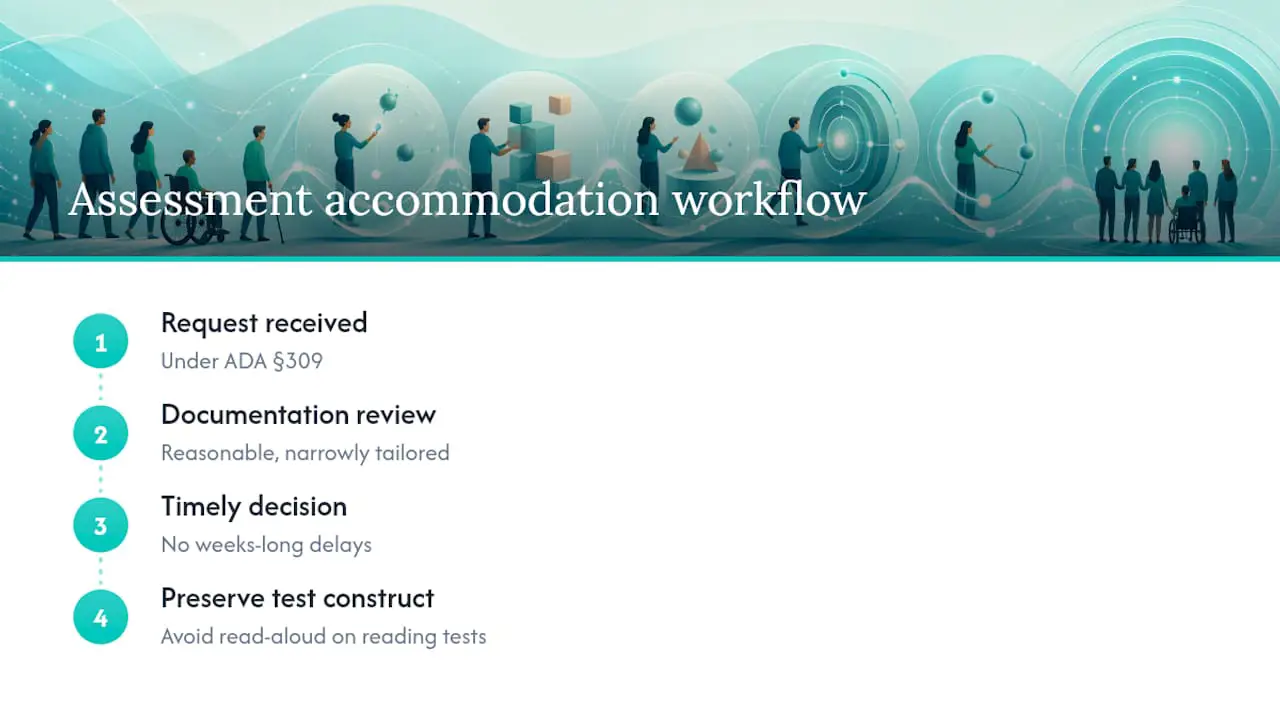
Section 309 of the ADA is the anchor rule for any organization that administers exams, from licensing boards to workforce certification programs. It requires testing entities to offer exams “in a place and manner accessible to persons with disabilities” and to provide reasonable accommodations on request, according to the Department of Justice’s testing accommodations guidance.
The documentation standard is narrower than most people assume. Testing entities can request documentation, but it must be reasonable and narrowly tailored, not an exhaustive paper trail. Accepting documentation from a qualified professional without demanding excessive additional proof shortens approval timelines and keeps the process compliant.
Two obligations trip up assessment teams the most: timeliness and validity preservation. A decision on an accommodation request can’t sit in a queue for weeks. Delayed responses can amount to a denial of equal opportunity, per the same ADA technical assistance document. And whatever accommodation gets granted, it has to preserve what the test measures. A read-aloud accommodation on a reading comprehension exam, for instance, can undermine the very construct the test is trying to assess, which is why licensing bodies scrutinize these decisions closely.
Universal Design in Practice: Turning NCEO’s Steps Into Action
The National Center on Educational Outcomes lays out a nine-step process for building assessments with accessibility baked in from day one, detailed in its state guide to universally designed assessments. Condensed into practical moves, here’s what that looks like for an assessment team:
- Plan for accessibility before writing items, not after a pilot reveals problems.
- Define the construct precisely so you know what the test must measure and what’s incidental to it.
- Require universal design in vendor RFPs, so accessibility isn’t an unpaid add-on requested later.
- Bring in accessibility expertise during item writing, not just during a compliance review.
- Run usability testing with a representative sample before the test goes live.
- Conduct item and test tryouts, then analyze results before full deployment.
- Monitor and revise every cycle, since accessibility needs shift as populations and technology change.
The technical side matters just as much as the process side. Build assessments in semantic, interoperable formats like tagged PDF, HTML, or QTI where supported, rather than locked proprietary files that require manual remediation later, a point emphasized in Massachusetts DOE’s technical guidance. Aligning with WCAG and Section 508 standards from the start avoids expensive retrofits.
Pro Tip: Use the same accessibility tools during instruction that you plan to use during assessment. When students already know how their text-to-speech or zoom tool works, the test measures the skill, not their ability to learn a new interface under pressure.
A Practical Item-Level Accessibility Checklist
Catching barriers before a test launches is far cheaper than fixing them after a cohort has already taken it. Massachusetts DOE built a checklist and review protocol around six lenses that any team can adapt.
- Language demands: Is the vocabulary more complex than the construct requires?
- Cultural bias: Does the item assume a shared experience some test takers won’t have?
- Skill demands: Does the item test the intended skill, or does it also silently test reading speed or motor coordination?
- Presentation and legibility: Is text density, font size, or layout going to slow down a low-vision reader unnecessarily?
- Response mode: Can a test taker answer if they can’t use a mouse, or can’t write by hand?
- Fatigue: Is the item length or test duration going to introduce errors unrelated to the skill being measured?
The review protocol itself works best as a team sport. Assign reviewers to specific lenses, log every issue with a specific location and suggested fix, then reconvene to consolidate revisions rather than letting one person adjudicate everything alone.
| Common barrier found | Concrete fix |
|---|---|
| Multi-step task buried in one long stem | Split into sequential, separately scored steps |
| Image or chart with no text alternative | Add descriptive alt text conveying the same information |
| Single response mode (typing only) | Offer voice input or multiple choice as an alternate path |
| Overly complex sentence structure | Simplify the stem without removing the tested concept |
Testing the Test: Usability and Accessibility Pilots
Running a usability pilot doesn’t require a specialized lab. A remote think-aloud session, where a handful of test takers narrate their thought process while working through items, surfaces friction points fast. A screen-reader walkthrough with even three or four assistive technology users catches issues an item writer without disabilities will never notice, like a chart that reads as a meaningless string of numbers.
The metrics worth tracking are straightforward:
| Metric | What it reveals |
|---|---|
| Task completion rate | Whether the item is answerable at all with assistive technology |
| Time on task | Whether fatigue or navigation friction inflates completion time |
| Observed barriers | Specific points where a test taker got stuck or confused |
| Assistive-tech compatibility | Whether screen readers or magnification tools behave as expected |
The harder discipline is combining these usability findings with psychometric checks. An accessibility fix that changes item difficulty or shows differential item functioning across groups needs another look before it ships, a step NCEO’s guide treats as non-negotiable. Accessibility and validity aren’t competing goals. Reviewing them together, rather than sequentially, is what keeps a fix from quietly breaking what the test measures. Teams that need a structured way to track this kind of item-level data may find it useful to read about measurement-first assessment analytics.
Training and Communication for Test Administrators
Accommodations only work if the people running test day know how to activate them. Administrator training should cover entering embedded settings correctly in advance, handling last-minute accommodation requests without derailing the schedule, and confirming assistive technology and devices actually work before the test window opens, a practice reflected in Smarter Balanced’s usability and accommodations guidelines.
Families and learners need advance notice too, along with a chance to practice with the actual tools before the stakes are real.
- Confirm embedded settings are entered before the testing window opens.
- Give test takers a practice session with the exact tools they’ll use on test day.
- Check devices, headphones, and assistive technology the day before, not the morning of.
Pro Tip: Send accommodation confirmations in writing at least a week before testing. A verbal “yes” that never makes it into the system is the single most common cause of test-day accommodation failures.
What Happens When Teams Actually Follow Universal Design
Assessment teams that build accessibility in from the start, rather than retrofitting it after a complaint, tend to see fewer special testing sessions to schedule and higher completion rates overall. Embedding tools like text-to-speech into everyday instruction, not just the test, shows measurable gains in completion and test-taker confidence, according to ReadSpeaker’s writeup on inclusive exam design.
Platforms can accelerate parts of this workflow, but they don’t replace the human judgment behind it. A tool can flag a missing alt text tag; it can’t decide whether an accommodation preserves the construct you’re testing. That responsibility stays with the design team, no matter how much automation surrounds it.
The Checklist Beats the Vendor Pitch
Here’s what the research on this topic actually supports, and it cuts against a lot of conventional advice: buying an “accessible” testing platform is not the same as having an accessible assessment. Compliance vendors will happily sell you WCAG conformance on the delivery layer while the items themselves still bury a math problem inside three sentences of unrelated context, or assume cultural knowledge that has nothing to do with the skill being measured. The platform was never the weak link.
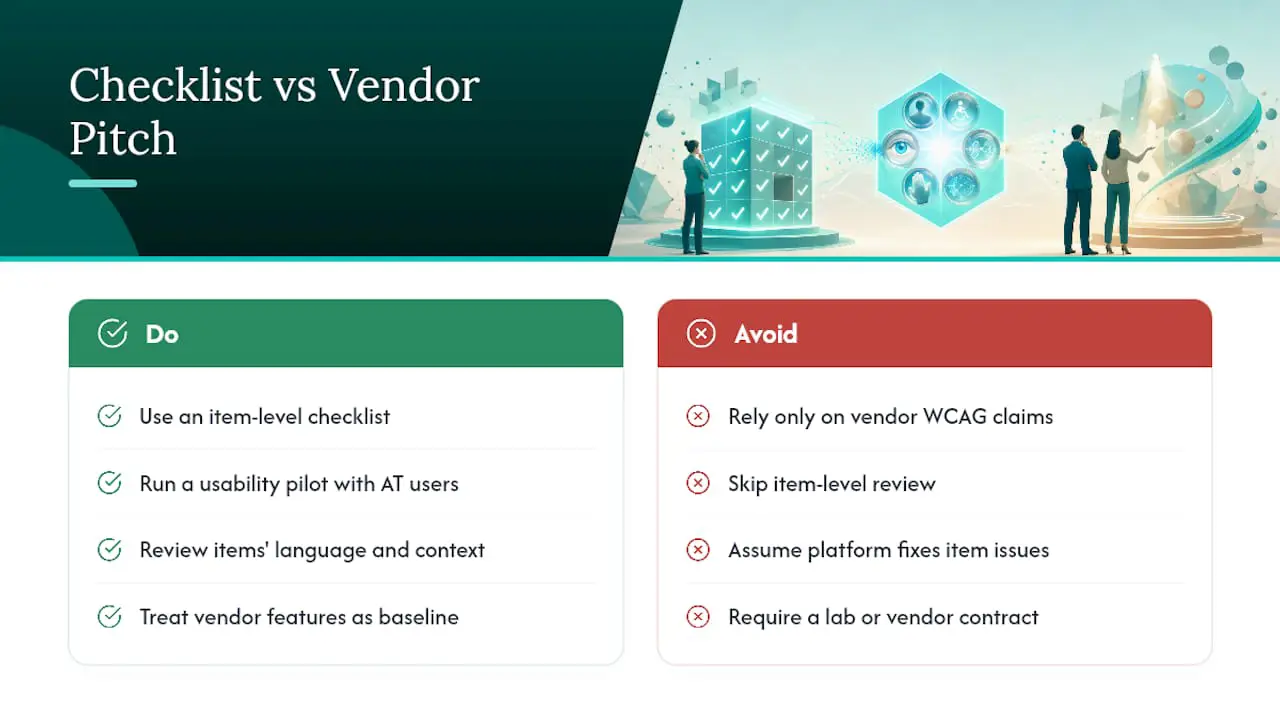
The item-level checklist is unglamorous, and that’s exactly why most teams skip it. It’s not a procurement decision. It’s a Tuesday afternoon spent with three reviewers arguing over whether a word problem’s vocabulary tests math or reading. That argument, repeated across every item on the test, is where accessibility actually gets built. Vendor accessibility features matter, but they’re a floor, not a strategy.
If you do only one thing differently after reading this, make it the usability pilot. A small group of assistive-technology users working through your test can surface more real barriers than a compliance audit often will, and you don’t need a specialized lab or a vendor contract to run one.
— Jimmie
Where Talent Approved Fits Into an Accessible Workflow
Talent Approved won’t replace your item-review protocol, and it shouldn’t try to. What it does well is take the manual weight off the parts of the workflow that eat the most time. A tool that builds a role-specific assessment from a job description in minutes lets your reviewers spend their hours on the accessibility lenses that matter, language, culture, skill demands, fatigue, instead of drafting items from scratch.
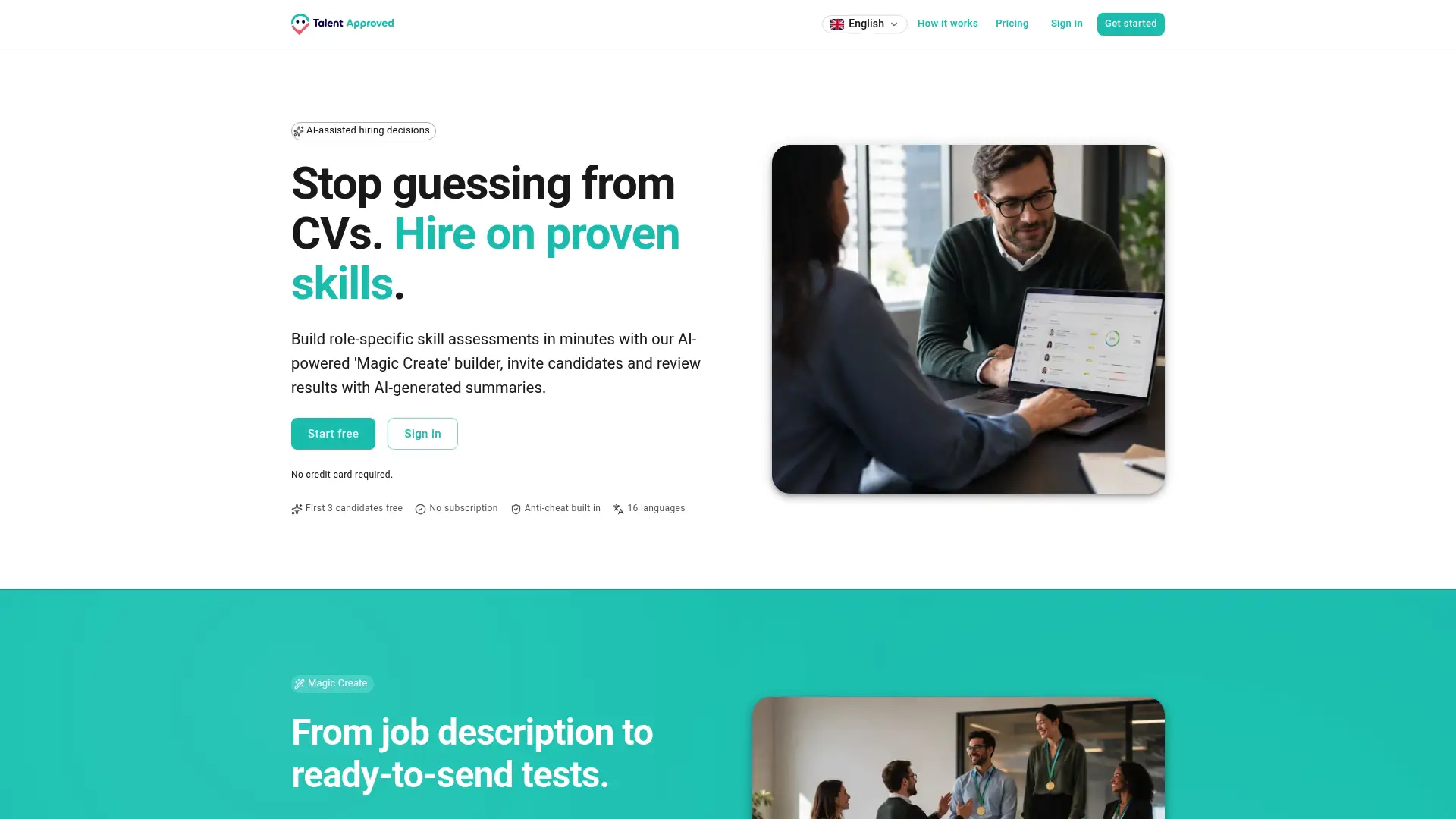
Anti-cheat monitoring and AI-generated performance summaries can handle the review side once tests are live, giving hiring teams a clear, consistent read on results without adding administrative burden to accommodation processing. None of that substitutes for planning universal design from the start or running your own usability pilot. It just means the tooling around those decisions doesn’t slow you down. If your team is ready to build a role-specific assessment and see how the workflow holds up against your own accessibility checklist, you can try Talent Approved directly.
Sources
- ADA requirements: Testing accommodations
- An Updated State Guide to Universally Designed Assessments (NCEO Report #431)
FAQ
What Is Accessibility in Assessment?
Assessment accessibility means a test measures the intended skill or knowledge for every test taker, regardless of disability, language background, or the technology they use to respond. It requires designing with universal tools, designated supports, and accommodations built in rather than added after the fact.
What Are Examples of Assessment Accommodations?
Common accommodations include extended time, a scribe or reader, a separate testing location, screen-reader compatibility, and alternative response modes like voice input. Accommodations are typically tied to documentation such as an IEP or 504 plan, unlike universal tools, which are available to everyone.
What Are the Four Types of Accessibility Barriers to Check For?
A practical review checks four core areas: language demands, cultural bias, skill demands beyond the tested construct, and physical or sensory barriers like presentation, legibility, and response mode. Fatigue from test length is a fifth lens many teams add to catch errors unrelated to the skill being measured.
What Tools Support Accessible Online Assessments?
Universal tools like text-to-speech, zoom, and answer masking, combined with semantic and interoperable file formats such as tagged PDF or HTML, form the technical backbone of accessible online testing. Platforms like Talent Approved can speed up building role-specific tests, but the accessibility review and usability testing still need to happen on the item content itself.
How Long Should Accommodation Decisions Take?
The ADA does not set a fixed number of days, but guidance is clear that unnecessary delays can amount to a denial of equal opportunity. Testing entities should build a response timeline into their process rather than letting accommodation requests sit unanswered close to test day.