
Manage High-Volume Hiring Assessments: A 2026 Playbook

The most effective way to manage high-volume hiring assessments is to shift your filter earlier: deploy short, job-relevant auto-scored tests wired into a two-way ATS integration, and let automation handle the first cut before any recruiter touches a resume.
Start with these five actions this week:
- Pick one core ATS and confirm it supports two-way API sync with your assessment platform.
- Enable two-way sync so scores, statuses, and invitations flow automatically between systems.
- Roll out a 10–15 minute mobile-first assessment tied directly to the job’s core competencies.
- Set an initial pass threshold at roughly the top 50% of scorers and plan to tighten it after your first 90-day retention check.
- Automate scheduling for next-stage screens so top-decile candidates get a calendar invite within hours, not days.
The payoff is concrete: less manual resume sifting, faster decisions, and a measurably better interview-to-offer conversion rate. Recruiters lose roughly 30–40% of their time to manual tasks. Cutting even half of that through automation frees up real capacity for the work that actually requires human judgment.
Table of Contents
- What is high-volume hiring and when do you need a formal assessment program?
- What challenges trip up high-volume assessment programs?
- What are the proven best practices for assessment design at scale?
- Which technologies belong in a high-volume assessment stack?
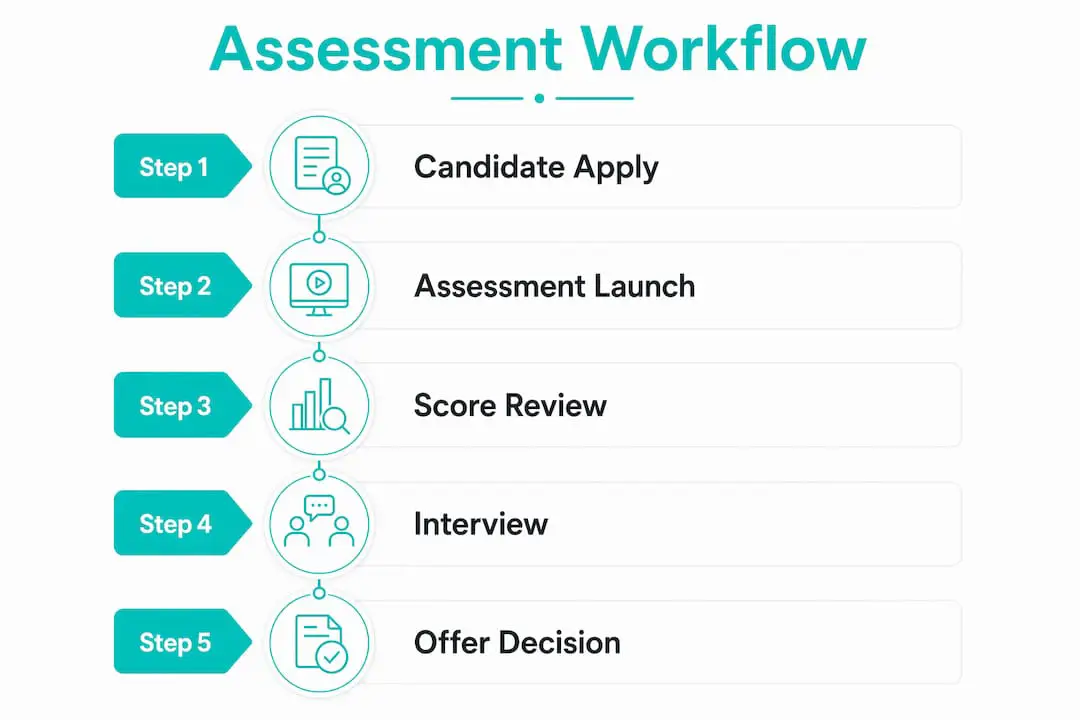
- How does a repeatable, scalable assessment workflow actually run?
- What metrics and KPIs should you track for high-volume assessments?
- What does it cost and how long does rollout take?
- How do you build an integration that won’t break under volume?
- How do you protect candidate experience and stay compliant at scale?
- Your launch checklist for a scalable assessment program this quarter
- Key Takeaways
- The part most teams get wrong about assessment programs
- Talent Approved cuts assessment setup time from days to minutes
- Useful sources
- FAQ
What is high-volume hiring and when do you need a formal assessment program?
High-volume hiring describes any recruiting campaign where the ratio of applicants to open roles is high enough that manual review becomes the bottleneck. In practice, that usually means hundreds or thousands of applications per role, frequent reopenings of the same position, or seasonal hiring waves where speed and consistency matter as much as quality.
A formal assessment program is warranted when three conditions align: you expect more applicants than your team can meaningfully review, time-to-fill pressure is real (think retail holiday ramp-ups or contact center expansions), and the cost of a bad hire or high early turnover is significant enough to justify the investment in structured screening.
Typical roles that hit this threshold include retail store associates, contact center agents, entry-level tech support, warehouse and fulfillment staff, and junior software developers hired in cohorts. The scale threshold varies, but most teams find that once a single role generates more than 150 applications per cycle, unstructured review starts producing inconsistent outcomes. Short, mobile-friendly assessments that measure job fit, organization fit, and work personality are specifically designed for this context, and they hold up at 1,000 applicants as well as they do at 150.
What challenges trip up high-volume assessment programs?
Most high-volume assessment failures aren’t caused by bad tools. They’re caused by broken data flows and poor process design.

Data-flow fragmentation is the single biggest time drain. When scores live in one system, candidate status in another, and interview notes in a spreadsheet, recruiters spend hours on manual copy-paste instead of making decisions. 80% of perceived tech stack problems are actually data-flow problems between existing tools, not gaps in tool coverage.
The speed trap is the second most common failure mode. Under pressure to fill roles fast, teams shorten assessments until they’re measuring almost nothing, or they use generic off-the-shelf tests with no connection to the actual job. The result is a fast process that produces poor hires. Every assessment item should map to a specific job requirement; otherwise you’re screening for speed of clicking, not job readiness.
Candidate drop-off compounds the problem. Long or poorly formatted assessments on desktop-only platforms lose a significant portion of applicants before they finish, which skews your pool toward whoever had the patience to complete a clunky experience, not necessarily the best candidates.
Bias and adverse-impact risk are real operational concerns, not just compliance checkboxes. Tests that aren’t demonstrably job-relevant can create disparate impact across protected groups, which creates legal exposure and undermines the fairness argument for using assessments in the first place.
Pro Tip: Before adding any new tool to your stack, audit your current data flows first. Map every manual handoff between your ATS and your assessment platform. Fixing those handoffs typically frees more recruiter time than any new software purchase.
What are the proven best practices for assessment design at scale?
Getting assessment design right is what separates a program that improves hiring quality from one that just adds friction.
-
Keep assessments short and mobile-first. Target a short duration. Longer assessments increase drop-off without proportionally increasing predictive value for most entry-level and mid-level roles. Mobile completion matters: a significant share of high-volume applicants will attempt your assessment on a phone.
-
Test three dimensions where the role warrants it. Job-specific skills (can they do the task?), organization fit and work personality (will they thrive in your environment?), and a focused cognitive or role-specific subtest. Knowing which skills to test for each role is the foundation of a valid assessment.
-
Use auto-scoring to build a ranked queue before any human reviews. Automated, objective scoring lets recruiters focus only on the top tier of applicants who already demonstrate baseline fit. This is where the efficiency gain is largest.
-
Standardize scoring and use structured interview rubrics downstream. A structured selection process that includes assessments, structured interviews with scorecards, and a side-by-side candidate comparison delivers consistent results. Without rubrics, the validity gains from your assessment evaporate at the interview stage.
-
Set thresholds conservatively, then calibrate. Start with a conservative pass rate to include roughly half of the scorers. Measure 90-day retention and early performance ratings for your first cohort, then tighten the threshold based on what the data shows. Skipping this calibration step is how teams end up with thresholds that either let everyone through or screen out good candidates unnecessarily.
Pro Tip: Don’t rely on cognitive tests alone. Psychometric and work-personality testing adds a dimension that cognitive scores miss, especially for roles where team fit and communication style drive early retention.
Which technologies belong in a high-volume assessment stack?
The goal is a minimal stack that covers every stage without creating manual handoffs. Three layers cover most programs.

Core system of record: your ATS. It needs multi-user visibility, role-based permissions, and a two-way API or native integration with your assessment platform. If your ATS can only receive data (one-way sync), you’ll end up manually updating candidate statuses, which defeats the purpose of automation.
Assessment platform. The minimum feature set for high-volume use includes short test creation with job-profile templates, a mobile-optimized candidate UI, auto-scoring with ranked output, anti-cheat controls (at minimum, screen recording or browser-lock), and exportable audit trails for compliance. Assessment templates that can be cloned and adapted per role save significant setup time when you’re running multiple concurrent campaigns.
Enablers (pick two, not five). A scheduling tool that integrates with your ATS to automate next-stage invites, and a candidate communication tool or built-in messaging layer to reduce “application black hole” drop-off. Analytics connectors matter once you’re at scale, but they’re a phase-two investment.
When evaluating vendors, require answers to these questions in any demo or RFP:
- Does the integration write scores back to the ATS automatically, or does a recruiter export a CSV?
- What is the platform’s mobile completion rate across your industry segment?
- Can you set role-specific pass thresholds and see ranked output without leaving the ATS?
- Does anti-cheat data stay within the platform, or does it export to third-party models?
Platforms with built-in AI features that process candidate data internally reduce compliance risk compared to tools that route data through external AI providers. That distinction matters more in 2026 than it did two years ago.
For non-engineering roles at lower volumes, a paid work sample may deliver higher signal than an off-the-shelf platform. Buy an assessment platform when volume and repeatability justify the per-seat or per-assessment cost; otherwise, consider paying candidates for a short, structured work sample instead.
How does a repeatable, scalable assessment workflow actually run?
Here’s a concrete pipeline you can adapt. Each stage has a clear owner and an automation trigger.
-
Stage 0: Job analysis (Week 0, owned by TA lead + hiring manager). Define two to four core competencies for the role. Output: a competency brief and an assessment template mapped to those competencies. This is the only stage that requires significant human input upfront; every subsequent hire for that role reuses the template.
-
Stage 1: Application triggers automated assessment invite (within 15 minutes of submission). The ATS fires an invitation to the 10–15 minute assessment. Candidates complete it on any device. Scores are written back to the ATS automatically, and candidates are ranked. Recruiters see a prioritized queue, not a raw list of resumes.
-
Stage 2: Auto-scheduler contacts candidates who meet the pass threshold (within 24 hours of score write-back). Top-decile candidates receive a scheduling link for a structured phone screen or async video screen. No recruiter manually sends calendar invites. Automated candidate ranking at this stage is what compresses time-to-first-screen from days to hours.
-
Stage 3: Structured interview with scorecard (Days 5–10 in a compressed pipeline). Interviewers use a standardized rubric tied to the same competencies the assessment measured. Scores are logged in the ATS. A side-by-side comparison view lets the hiring manager make an offer decision without a separate debrief meeting.
Operational SLAs to enforce:
- Assessment invite: within 15 minutes of application submission
- Score visible in ATS: within 5 minutes of assessment completion
- Recruiter outreach to top decile: within 4 business hours of score write-back
- Offer to accepted candidate: within 48 hours of final interview
A compressed two-week pipeline for a volume role looks like this: Days 1–3 for applications and assessments, Days 4–6 for phone screens, Days 7–10 for structured interviews, Days 11–14 for offers and onboarding prep. That timeline is achievable when automation handles every handoff between stages.
What metrics and KPIs should you track for high-volume assessments?
Stop measuring vanity metrics. Shift your focus to quality metrics that tell you whether the program is producing good hires, not just fast ones.
Cognitive ability tests carry a meta-analytic validity of r = .51, compared to r = .18 for resume screening. That means a well-designed cognitive assessment is roughly three times more predictive of job performance than a resume review alone. Source: Cogn-IQ.org
| KPI | What it measures | Target range (entry-level, high-volume) |
|---|---|---|
| Time-to-first-screen | Speed from application to first recruiter contact | Under 48 hours |
| Assessment completion rate | % of invited candidates who finish | 70–85% |
| Pass rate | % of completers who meet threshold | 30–60% (calibrate to role) |
| Interview-to-offer conversion | Quality of candidates reaching interview stage | 40–60% |
| Time-to-offer | Total days from application to offer | Under 14 days |
| 90-day retention | Early tenure quality signal | Benchmark to your pre-program baseline |
| Adverse impact ratio | Fairness monitoring across protected groups | At or above 4/5ths rule threshold |
For quality validation, run a correlation between assessment scores and 90-day performance ratings for your first cohort. If the correlation is weak, your assessment items aren’t measuring what the job actually requires. That’s a test design problem, not a volume problem.
Review operational KPIs weekly in a recruiter ops check-in. Run quality validation monthly for the first quarter, then quarterly once the program is stable. Hiring process efficiency metrics like recruiter hours per hire and offer acceptance rate round out the picture.
What does it cost and how long does rollout take?
A realistic rollout has two phases: a pilot and a scale phase.
Pilot (Weeks 1–6): Configure your ATS integration, build one assessment template for your highest-volume role, and run 200–1,000 applicants through the process. Measure completion rates, pass rates, and recruiter time per hire. This phase costs primarily in internal time: roughly 20–40 hours of TA and IT configuration work, plus any per-assessment licensing fees.
Scale (Months 2–3): Harden the integration, train interviewers on scorecards, build templates for additional roles, and stand up reporting dashboards. This is where integration engineering costs appear if your ATS and assessment platform don’t have a native connector.
Cost factors to budget for:
- Assessment platform licensing: typically per-seat (recruiter licenses) or per-assessment (candidate volume). Per-assessment pricing scales predictably with volume; per-seat pricing favors high-volume programs with a small recruiting team.
- Integration engineering: $0 if native connectors exist; $5,000–$15,000 for custom API work, depending on complexity.
- Anti-cheat and proctoring: often bundled into platform pricing, but verify before signing.
- Candidate compensation: relevant only if you use paid work samples rather than standard assessments.
A simple ROI calculation: if your team spends 30–40% of its time on manual screening tasks and you have four recruiters, eliminating half that manual work through automation frees roughly 0.6–0.8 FTE of capacity per year. At a fully loaded recruiter cost of $70,000–$90,000 annually, that’s $42,000–$72,000 in recovered capacity, which typically exceeds platform licensing costs within the first year.
Buy an off-the-shelf assessment platform when your annual assessment volume per role justifies the investment. Below that threshold, a structured work sample or a simpler tool may deliver better ROI.
How do you build an integration that won’t break under volume?
Integration failure is the most common reason high-volume assessment programs stall after launch. The most common error in high-volume recruiting is process integration failure, not a lack of tools.
Two-way ATS sync is non-optional for scale. The integration must read candidate data from the ATS (to trigger invitations), write scores and status back to the ATS (to update the candidate record), and sync invitation status so recruiters see real-time progress without logging into two systems. One-way sync creates a manual reconciliation step that compounds with every hundred applicants.
Fields that must flow both ways:
- Candidate identifier (to prevent duplicate records)
- Assessment invitation status (sent, opened, completed, expired)
- Score and rank
- Pass/fail status
- Stage/status update in the ATS triggered by score write-back
Common integration failure modes to test for:
- Duplicate candidate records created when email addresses don’t match exactly
- Delayed score writes that leave candidates in limbo for hours
- Permission gaps where hiring managers can see candidates but not scores
- Invitation triggers that fire twice when a candidate reapplies
Implementation checklist before go-live:
- Run 10 end-to-end test cases with dummy candidate records
- Confirm score write-back latency is under 5 minutes
- Verify that a completed assessment updates candidate stage in the ATS without manual intervention
- Test the duplicate-detection logic with two records sharing the same email
- Set up error monitoring alerts for failed score writes
- Define a rollback plan: if the integration fails during a live campaign, what’s the manual fallback?
Run your pilot with 200–500 applicants before opening the integration to full volume. Measure error rates and score write-back latency during the pilot window, and set a threshold for acceptable error rates before scaling. If more than 2% of records show sync errors, fix the integration before expanding.
How do you protect candidate experience and stay compliant at scale?
A fast process that frustrates candidates produces a skewed applicant pool. The candidates most likely to drop off a clunky assessment are often the ones with the most options, which means your completion rate problem is also a quality problem.
Design choices that improve completion rates:
- Mobile-first UI with a progress indicator. Candidates who can see they’re 60% done are more likely to finish than those who have no sense of how long remains.
- Transparent time estimate in the invitation email. “This assessment takes 12 minutes” sets expectations and reduces abandonment at the start screen.
- Feedback or status update after completion. Even a simple “We received your assessment and will be in touch within 3 business days” reduces withdrawal rates and improves employer brand perception. Candidate experience best practices at scale include automated status updates at every stage transition.
- Reasonable accommodation flow. Include a clear, easy-to-find accommodation request option in the invitation email. Route requests to a named contact, not a generic inbox.
Compliance checklist highlights for US-based programs:
- Maintain exportable audit trails for every assessment administration (who took it, when, what score).
- Run adverse impact analysis quarterly using the 4/5ths rule across protected groups.
- Store candidate data in compliance with applicable state privacy laws (California CCPA, and similar frameworks in other states).
- Ensure anti-cheat recordings are disclosed to candidates in the invitation and stored securely with access controls.
- Document the job-relatedness of every assessment dimension in a validation brief.
Your launch checklist for a scalable assessment program this quarter
Weeks 0–2: Foundation
- Map your current hiring process end-to-end and identify every manual handoff.
- Confirm your ATS owner and get API documentation from your assessment platform.
- Define target competencies for your highest-volume role (two to four competencies maximum).
- Select or build an assessment template using those competencies.
- Draft your candidate communication sequence (invite, reminder, status update).
Weeks 3–6: Pilot
- Configure the two-way ATS integration and run end-to-end test cases.
- Open the pilot to hundreds of applicants for your target role.
- Measure completion rate, pass rate, and time-to-first-screen daily.
- Collect recruiter feedback on score visibility and queue usability.
- Flag integration errors and resolve before expanding volume.
Scale milestones (Months 2–3):
- Harden integration based on pilot error data.
- Train interviewers on scorecard use. Hiring manager training on reading and acting on assessment data is one of the most skipped steps in rollout plans.
- Build templates for two additional roles.
- Stand up a weekly recruiter ops dashboard and a monthly quality review cadence.
- Run full rollout across all target roles.
Rollback and contingency:
- If integration error rate exceeds 2%, pause automated triggers and revert to manual invitation until the issue is resolved.
- If completion rate drops below 60%, audit the assessment length and mobile experience before assuming a candidate quality problem.
- If pass rate exceeds 80%, your threshold is too low; tighten it before the next campaign cycle.
Key Takeaways
Shifting the filter earlier with short, auto-scored assessments wired into a two-way ATS integration is the single most effective way to manage high-volume hiring assessments without sacrificing quality or recruiter capacity.
| Point | Details |
|---|---|
| Shift the filter earlier | Deploy 10–15 minute auto-scored assessments before any resume review to cut manual sifting. |
| Two-way ATS sync is required | Scores, statuses, and invitations must flow both ways automatically; one-way sync creates manual reconciliation. |
| Calibrate thresholds with data | Start at the top 50% pass rate and tighten after measuring 90-day retention for your first cohort. |
| Measure quality, not volume | Track interview-to-offer conversion, 90-day retention, and adverse impact, not just time-to-fill. |
| Talent Approved for scale | Talent Approved’s AI test generation, automated ranking, and anti-cheat controls address the core bottlenecks this guide covers. |
The part most teams get wrong about assessment programs
Most teams treat their assessment program as a technology problem. They buy a platform, configure it, and wait for results. When the results disappoint, they buy another platform. The pattern repeats.
The real problem is almost never the tool. It’s the absence of a feedback loop. A high-volume assessment program without a 90-day retention check is just a faster version of the same bad process. You’re screening more candidates more quickly, but you have no idea whether the ones you’re selecting are actually performing better.
The teams that get this right do one thing differently: they treat the pass threshold as a hypothesis, not a setting. They run a cohort, measure early performance, and adjust. They’re willing to find out that their initial threshold was wrong, which means they’re willing to look at data that might be uncomfortable. That discipline is what separates a program that improves over time from one that calcifies around its first configuration.
There’s also a tendency to over-invest in anti-cheat technology at the expense of test design. A well-designed, job-relevant assessment is inherently harder to game than a generic one, because the answers require actual knowledge of the role. Anti-cheat controls matter, but they’re a supplement to good test design, not a substitute for it.
The other underrated factor is interviewer training. You can build a perfect assessment and still lose the validity gains at the interview stage if interviewers aren’t using structured rubrics. The assessment tells you who to interview; the structured interview tells you who to hire. Both have to work together.
Talent Approved cuts assessment setup time from days to minutes
High-volume hiring programs fail most often at two points: test creation and score review. Building a job-relevant assessment from scratch takes hours. Reviewing hundreds of completed assessments takes even longer. Talent Approved addresses both directly.
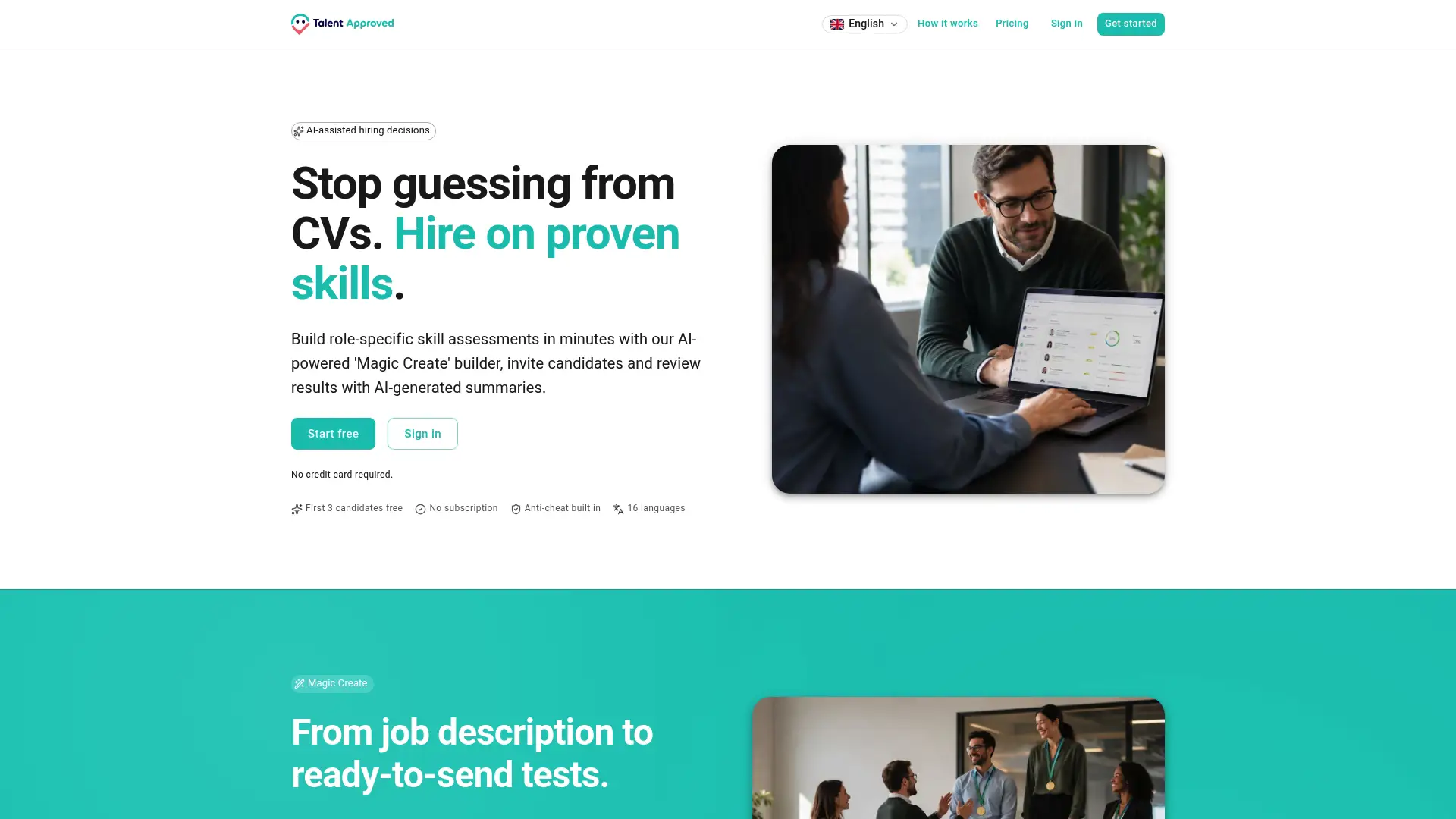
Talent Approved’s Magic Create feature generates a tailored, role-specific assessment in minutes from a job description or a list of target skills. No test-design expertise required. The platform’s AI scoring and candidate ranking automatically prioritizes your top candidates so recruiters see a ranked queue, not a raw pile of completions. Built-in anti-cheat screen recording and proctoring controls protect assessment integrity without adding manual review steps. And AI-generated review summaries let hiring managers make confident decisions in a fraction of the time a manual review would take.
For teams ready to pilot, the recommended starting point is one role, one assessment template, and a two-week campaign window. That’s enough to measure completion rates, validate your pass threshold, and demonstrate ROI before scaling. Start your pilot at talentapproved.com and see how quickly a well-configured assessment program changes your recruiter capacity numbers.
Useful sources
The following sources informed the research and recommendations in this guide:
- High-Volume Hiring: How to Screen 1,000 Applicants Without Sacrificing Quality — Cogn-IQ.org: Backs the meta-analytic validity figures for cognitive tests (r = .51) versus resume screening (r = .18), and the threshold calibration guidance.
- Volume Hiring Assessments: A Practical Guide — Compono: Source for the 10–15 minute assessment length recommendation and multi-dimension test design (skills + fit + work personality).
- Recruitment Tech Stack 2026: Tools per Funnel Stage — SourcrLab: Basis for the 30–40% recruiter time lost to manual tasks, the 80% data-flow problem finding, and the quality metrics recommendations.
- Recruiter Tools and Tech Stack: The Honest Buyer’s Guide for 2026 — Rework: Source for the build-vs-buy guidance on assessment platforms and the 200–1,000 applicant pilot recommendation.
- The Recruiter Productivity Stack in 2026 — TalentRiver: Basis for the AI compliance recommendation (built-in AI vs. third-party data routing).
FAQ
What is considered high-volume hiring?
High-volume hiring typically refers to recruiting campaigns where a single role or role family generates hundreds to thousands of applications per cycle, often with frequent reopenings or seasonal demand spikes. Most practitioners apply the label when manual review becomes the primary bottleneck to filling roles on time.
How do you manage high-volume hiring without losing quality?
Shift the filter earlier with short, auto-scored assessments tied to specific job competencies, then use a two-way ATS integration to rank candidates automatically before any recruiter reviews a resume. Cognitive ability tests carry a meta-analytic validity of r = .51, compared to r = .18 for resume screening, making them roughly three times more predictive of job performance.
What is the 70/30 rule in hiring?
The 70/30 rule is an informal guideline suggesting that roughly 70% of hiring weight should go to demonstrated skills and job-relevant performance data, with 30% on cultural and interpersonal fit. Definitions vary across organizations; it is not a standardized industry framework, so apply it as a calibration principle rather than a fixed formula.
How do you reduce candidate drop-off during assessments?
Keep assessments to 10–15 minutes, use a mobile-optimized interface, include a transparent time estimate in the invitation, and send an automated status update immediately after completion. These design choices consistently improve completion rates toward the 70–85% range typical for well-configured high-volume programs.
How does Talent Approved support high-volume assessment programs?
Talent Approved generates role-specific assessments from a job description in minutes, automatically ranks candidates by score, and provides AI-generated review summaries so recruiters spend time on decisions rather than data entry. Its built-in anti-cheat controls and two-way integration support address the core bottlenecks covered in this guide.