
Secretarial Test: Candidate and Employer Guide

A secretarial test is a timed, structured assessment of the clerical, communication, typing, and office-technology skills a candidate needs to perform secretary or administrative assistant duties on day one. If you’re a candidate, your next two steps are simple: run a timed typing check to establish your words-per-minute baseline, then complete one full practice clerical test. If you’re a hiring manager, your next step is to select a role-specific assessment template that mirrors the actual tasks in the job description.
Quick-start checklist:
- Candidates: Take a free timed typing test (target a solid WPM speed for entry-level roles), then complete one practice clerical test covering reading comprehension, arithmetic, grammar, and data interpretation.
- Employers: Define the three to five core tasks in the role, then map each task to a test type (typing module, clerical MCQ, Excel task, or situational judgment).
- Public-sector applicants: Civil Service secretary exams follow a classified-exam format; practice with official sample materials before test day.
- Benchmark to know: Entry-level typing targets typically fall within a moderate words-per-minute range. Experienced executive assistant roles require a notably higher typing speed.
Key Takeaways
A secretarial test measures the clerical, typing, communication, and office-technology skills that predict real job performance, and both candidates and employers get the best results by preparing and building assessments around the specific tasks the role requires.
| Point | Details |
|---|---|
| Core skills tested | Typing speed (standard entry-level speed, higher speed for advanced roles), clerical MCQ, Excel tasks, grammar, and filing. |
| Four-week prep plan | Start with a baseline diagnostic, drill weak areas in Week 2, run timed mocks in Week 3, and polish in Week 4. |
| Employer rubric | Weight clerical MCQ at —, Excel at 25%, typing at 20%, and SJT/fit at 20%; set cutoffs before scoring. |
| Score interpretation | Use score bands to prioritize, interview, phone screen, or hold candidates for consistent shortlisting. |
| Talent Approved | Builds role-specific secretarial tests from a job description in minutes, with anti-cheat proctoring and AI candidate summaries. |
Table of Contents
- What does a secretarial test actually measure?
- Common question formats and sample items
- How to prepare for a secretarial test in four weeks
- How employers build an effective secretarial assessment
- How to interpret scores and use them in hiring decisions
- What to expect on test day: timing and difficulty
- Why role-specific tests reduce hiring risk more than CV screening
- Talent Approved makes building secretarial tests fast and fair
- Useful resources for practice and test building
- Talent Approved: the assessment platform built for this
- Sources
- FAQ
What does a secretarial test actually measure?
A well-designed office skills assessment covers more ground than most candidates expect. The core skill categories map directly to daily secretarial duties, and knowing which test type covers which skill helps you focus your preparation time.
Core skill categories:
- Written communication and grammar: Sentence structure, punctuation, and professional correspondence
- Attention to detail and proofreading: Spotting errors in text, numbers, and formatting
- Organization and time management: Scheduling, prioritization, and workflow logic
- Clerical procedures and filing: Alphabetical and numerical filing, records management
- Basic Excel and Word tasks: Formulas, formatting, mail merge, and document production
- Ten-key and numeric entry: Keypad speed and accuracy for data-entry roles (see ten-key benchmarks for KPH targets)
- Typing speed and accuracy: WPM and error rate under timed conditions
These categories appear across several distinct test formats. Civil-service and classified-exam practice pages confirm that reading comprehension, arithmetic, grammar, clerical skills, and data interpretation are standard tested areas for administrative roles. Published office-skill syllabuses from providers like Brainmeasures add administration, filing, office correspondence, and basic computer skills to that list.
| Test type | Primary skills measured | Typical format |
|---|---|---|
| Typing / word-processing | WPM, accuracy, formatting | Timed passage entry |
| Clerical aptitude (MCQ) | Attention to detail, arithmetic, reading | Multiple-choice, timed |
| Civil Service secretary exam | Grammar, data interpretation, clerical | Mixed MCQ and short answer |
| Excel / data task | Formula use, data organization | Practical task in spreadsheet |
| Situational judgment (SJT) | Prioritization, professional judgment | Scenario-based MCQ |
| Personality / fit screener | Work style, reliability, communication | Self-assessment questionnaire |
An Office Skills & Job Fit Test can combine multiple-choice scenarios, self-assessment, and timed exercises in a single session, returning a strengths-and-areas breakdown that both candidates and employers can use.
Common question formats and sample items
Knowing the format before test day removes a lot of uncertainty. Here are the four question types you’ll encounter most often, with sample items and short scoring notes.
- Proofreading / attention-to-detail item
Sample: “Review the sentence below and identify the error: ‘The meeting is scheduled for Tuesday, March 14th at 2:00 pm in the confrence room.’”
Correct answer: “confrence” should be “conference.” Scoring note: these items are usually timed at roughly 30–45 seconds each. Practical grammar and proofreading guidance — covering punctuation rules, subject-verb agreement, and editing checks — is one of the most reliable ways to prepare for written-communication items.
- Scheduling / calendar question
Sample: “Your manager has a 10:00 AM client call (90 minutes), a 1:30 PM department meeting (60 minutes), and needs 30 minutes of prep time before each. Block her calendar and identify the earliest open slot for a new 45-minute task.”
Model solution: Prep for client call: 8:30–10:00 AM. Call: 10:00–11:30 AM. Prep for meeting: 12:00–12:30 PM. Meeting: 1:30–2:30 PM. Earliest open slot for the new task: 11:30 AM–12:00 PM (30 min) or 2:30 PM onward (45 min fits cleanly). Scoring note: partial credit is common; examiners look for logical sequencing even if the candidate’s final slot differs slightly.
- Excel task example
Sample: “Column A lists five invoice amounts. Cell B6 should display the total. Which formula is correct? (a) =SUM(B1:B5) (b) =SUM(A1:A5) © =TOTAL(A1:A5) (d) =ADD(A1:A5)”
Correct answer: (b). Scoring note: Excel tasks are often practical rather than multiple-choice; candidates may be asked to build a formula in a live spreadsheet, so practicing in an actual Excel or Google Sheets environment matters more than memorizing syntax.
- Multiple-choice clerical items
Sample: “Which of the following filing sequences is correct for alphabetical order by last name? (a) Brown, Carter, Adams (b) Adams, Brown, Carter © Carter, Adams, Brown (d) Brown, Adams, Carter”
Correct answer: (b). Scoring note: clerical MCQ sections are almost always timed. Negative marking is rare in private-sector tests but does appear in some civil-service formats, so read the instructions before guessing.
Pro Tip: Short grammar checklists and editing drills improve timed clerical communication scores faster than long-form writing practice. Spend 10–15 minutes daily on targeted sentence-correction exercises rather than full essay drafts.
How to prepare for a secretarial test in four weeks
A structured four-week plan works better than cramming because each skill area needs repeated, timed practice to build both accuracy and speed.
- Week 1: Establish your baseline
- Take a free timed typing test and record your WPM and error rate.
- Complete one full diagnostic clerical practice test (reading comprehension, arithmetic, grammar, data interpretation).
- Note your weakest two or three areas; those become your Week 2 focus.
-
Week 2: Targeted skill drills
- Grammar and proofreading: 15 minutes of sentence-correction exercises daily, using a resource like Grammar 101.
- Excel basics: 20-minute sessions building SUM, AVERAGE, VLOOKUP, and basic formatting.
- Typing: daily 10-minute timed sessions; aim to add 3–5 WPM over the week.
-
Week 3: Timed full practice tests
- Complete two to three full-length mock tests under real conditions (no phone, timer running, browser only).
- Track your score on each section and compare against your Week 1 baseline.
- Use free civil-service practice materials for clerical MCQ volume; consider one paid mock exam if your target role is competitive.
- Week 4: Polish and mental preparation
- Focus on your remaining weak spots with short, targeted drills rather than full tests.
- Practice test-day logistics: confirm browser compatibility, gather required identification, and do one timed run-through the day before.
- Rest the evening before; fatigue affects both typing speed and attention to detail more than most candidates realize.
Daily time targets: 30 minutes is enough in Weeks 1 and 2 for skill-building. Extend to 60–90 minutes in Week 3 for full mock tests. Week 4 sessions should stay under 45 minutes to avoid burnout.
How employers build an effective secretarial assessment
A well-structured employer workflow produces a test that is fair, defensible, and actually predictive of on-the-job performance. The setup takes more thought upfront but saves significant review time later.
Step-by-step setup checklist:
- Define the role’s core tasks. List the five to seven things the person will do most often (scheduling, correspondence, data entry, document management, phone handling). Each task maps to a test type.
- Select test types. Match tasks to modules: typing test for correspondence and data entry, clerical MCQ for attention to detail and filing, Excel task for reporting or invoice work, SJT for roles with high client contact.
- Set passing criteria before you see any scores. Decide your minimum WPM, minimum MCQ score, and overall pass threshold in advance. Post-hoc cutoffs introduce bias.
- Pilot with two or three current staff members. Timing and difficulty calibration is the most common failure point. A test that takes 25 minutes in design often runs 40 minutes in practice.
- Invite candidates and monitor completion. Send assessment links with clear instructions, a deadline, and a note on what to expect (duration, allowed materials, proctoring).
Proctoring and anti-cheat options to consider:
- Screen recording during the session
- Webcam monitoring to confirm candidate identity
- Question randomization to prevent answer sharing
- Time limits per section to reduce look-up behavior
Talent Approved’s anti-cheat screen recording and proctoring features handle these requirements automatically for remote sessions, without requiring a separate proctoring service.
Simple rubric template:
Pro Tip: Pilot your test with a current team member before sending it to candidates. You’ll catch timing errors, ambiguous questions, and technical issues that are invisible during design but obvious in practice.
For a broader look at which technical assessment formats suit different role types, the format guide covers when to use typing tests, MCQs, and task-based exercises.
How to interpret scores and use them in hiring decisions
Raw scores mean little without context. Benchmarks, score bands, and a clear weighting system turn test results into defensible hiring decisions.
Example scoring weights and score bands:
| Score band | Recommended action |
|---|---|
| — | Prioritize for interview; strong across all skill areas |
| — | Invite to interview; probe weak section in conversation |
| — | Phone screen first; confirm whether the gap is trainable |
| — | Hold or decline; significant skill gap for the role |
AI-powered candidate ranking and scoring removes the manual work of comparing spreadsheets. Automated ranking surfaces the highest-scoring candidates first, and AI-generated summaries give hiring teams a plain-language overview of each candidate’s strengths and gaps without reading through every raw score. That combination reduces review time and keeps shortlisting decisions grounded in demonstrated skill rather than resume presentation. For a fuller explanation of how ranking systems work in fair hiring, the applicant ranking guide covers the methodology.
What to expect on test day: timing and difficulty
Most secretarial assessments run between 45 minutes and 90 minutes in total, depending on how many modules are included. Here’s how the time typically breaks down.

| Section | Typical duration | Notes |
|---|---|---|
| Typing / word-processing | 5–15 minutes | One or two timed passages |
| Clerical MCQ | 20–40 minutes | 20–40 questions, timed per section |
| Excel / data task | 10–30 minutes | Practical task in a live or simulated spreadsheet |
| SJT / scenario questions | 10–20 minutes | 8–15 scenarios |
| Personality / fit screener | 10–15 minutes | Untimed in most formats |
WPM and accuracy guidelines:
- 50–65 WPM with ≤5% error rate: solid for entry-level secretary and administrative assistant roles
- 70+ WPM with ≤3% error rate: expected for senior executive assistant and fast-paced office roles
- Speed and accuracy trade off against each other; most employers weight accuracy more heavily than raw speed, since errors in correspondence create real downstream problems
Test-day logistics checklist:
- Confirm browser compatibility (Chrome is most widely supported for online assessments)
- Use a wired internet connection if possible; dropped sessions mid-test are disruptive
- Have a government-issued ID ready if webcam proctoring is required
- Clear your desk of notes unless the test explicitly allows reference materials
- Check whether the test uses negative marking before you decide to guess on uncertain MCQ items
Difficulty scales with the role level. An entry-level clerical test focuses on basic grammar, simple filing sequences, and straightforward arithmetic. A senior executive assistant test adds complex scheduling scenarios, advanced Excel tasks, and judgment-based questions that have no single correct answer.
Why role-specific tests reduce hiring risk more than CV screening
Most CVs claim proficiency in Microsoft Office. Very few candidates can demonstrate it under timed conditions. That gap is where secretarial assessments earn their value.
A well-built clerical test reveals things a resume cannot: whether a candidate can hold 65 WPM accuracy under pressure, catch a transposed number in a data table, or sequence a complex calendar without prompting. These are the skills that determine whether the hire succeeds in the first 90 days, not the bullet points on a two-page document.
The fairness argument for structured testing is equally strong. When every candidate takes the same assessment under the same conditions, the comparison is grounded in demonstrated performance rather than subjective impression. Features like AI-generated test construction (Talent Approved’s Magic Create builds a role-specific assessment from a job description in minutes) and automated anti-cheat proctoring make that consistency achievable without a large HR team or a long setup process.

One nuance worth flagging: a secretarial test should measure the skills the role actually requires, not every skill a secretary could theoretically have. An over-broad assessment frustrates qualified candidates and produces noisy scores that are harder to interpret. Build the test around the job description, pilot it with current staff, and adjust the weights before it goes live.
Talent Approved makes building secretarial tests fast and fair
Putting together a reliable secretarial assessment from scratch takes time most hiring teams don’t have. Talent Approved gives you a faster path: paste in your job description, and the AI test generator builds a role-specific assessment in minutes, drawing from a reusable question library that covers typing, clerical MCQ, Excel tasks, and situational judgment.
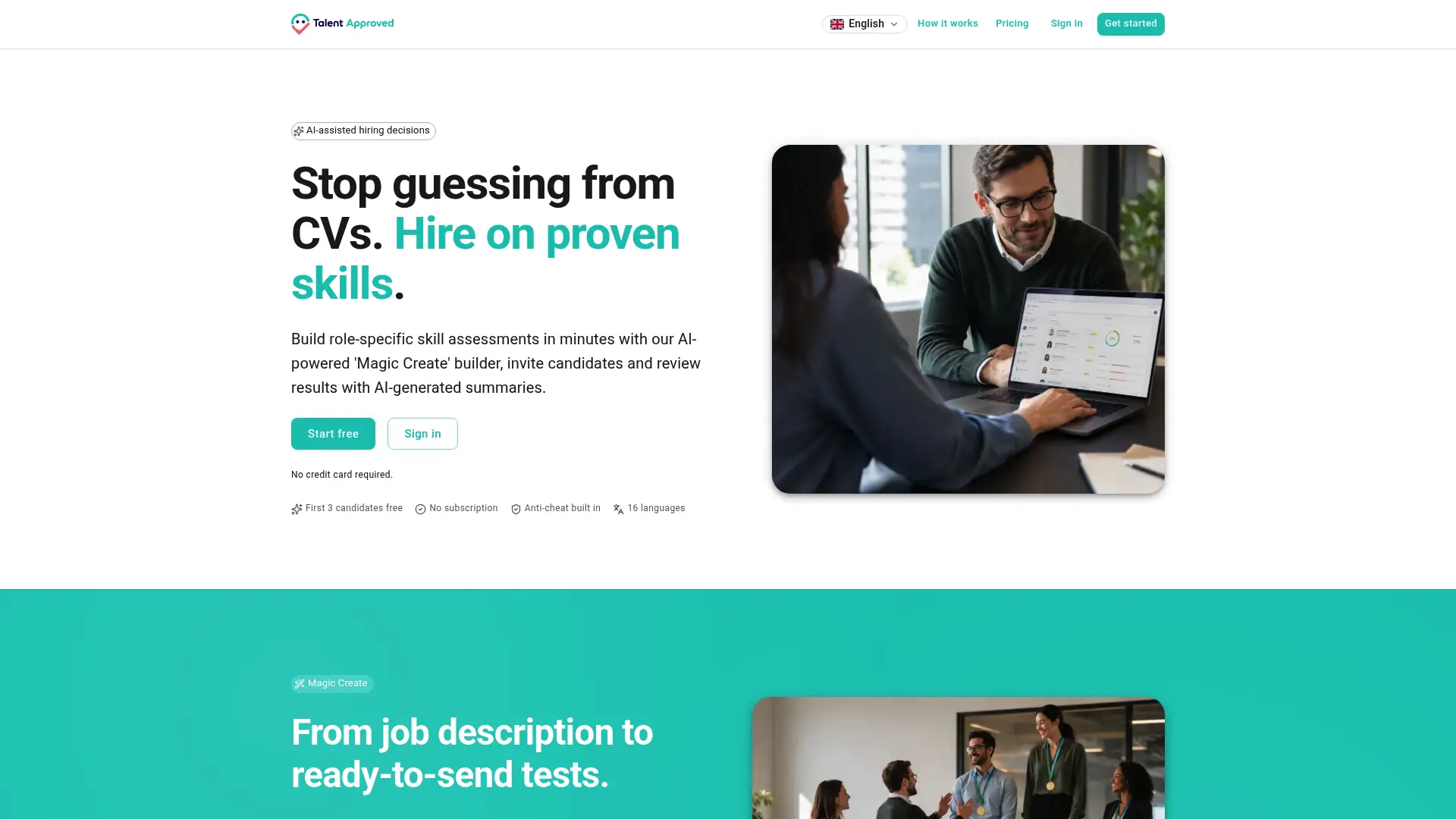
Every session runs with built-in anti-cheat screen recording and webcam proctoring, so remote candidates can’t share answers or look up responses mid-test. When results come in, AI-generated summaries and ranked candidate overviews let your team compare applicants in seconds rather than hours. The model is pay-per-completed-candidate at $5 per candidate, with no subscription required, so you pay only when a candidate actually finishes. To get started, create your first skill test directly from your job description.
Useful resources for practice and test building
Free and paid resources cover both sides of the secretarial assessment process.
- Sample Practice Tests for Classified Exams: Official civil-service and classified-exam practice materials covering reading comprehension, arithmetic, grammar, and clerical skills. Start here for public-sector secretary exam preparation.
- Grammar 101 (Microsoft): Practical grammar and proofreading guidance for written-communication items. Use it for daily editing drills in Weeks 1 and 2.
- Office Skills & Job Fit Test (PsychTests): A combined MCQ, self-assessment, and timed exercise format that returns a strengths-and-areas breakdown. Useful for a realistic diagnostic before a real test.
- Talent Approved anti-cheat proctoring: Feature page for employers setting up remote-proctored secretarial assessments.
Free vs. paid: Free practice tests are sufficient for skill-building and diagnostics through Weeks 1–3. A paid mock exam is worth the cost only if your target role is highly competitive or if the employer uses a proprietary test format you can’t replicate with free materials.
Talent Approved: the assessment platform built for this
Hiring teams that need a reliable, role-specific secretarial assessment without building one from scratch will find Talent Approved a practical fit. The platform is designed for HR teams and recruiters who want to evaluate candidates on demonstrated skills rather than CV claims, with a pay-per-completed-candidate model ($5 per candidate) that requires no subscription. Paste in your job description, generate the test, send the invite link, and review ranked results with AI summaries when candidates finish. See how it works and run your first assessment today.
Sources
- Sample Practice Tests for Classified Exams
- Grammar 101 — Microsoft Life Hacks
- Office Skills & Job Fit Test — PsychTests
FAQ
What skills does a secretarial test typically cover?
A secretarial test covers typing speed and accuracy, written grammar and proofreading, clerical procedures, basic Excel and Word tasks, scheduling and prioritization, and sometimes situational judgment. Civil-service formats also include reading comprehension, arithmetic, and data interpretation.
How can you pass a clerical or administrative skills test?
Establish your baseline with a diagnostic test, then spend two to three weeks drilling your weakest areas (grammar, typing speed, or Excel) with short daily practice sessions before taking timed full-length mock tests in the final week.
How difficult is a civil service secretary exam?
Civil service secretary exams are moderately challenging; they test reading comprehension, arithmetic, grammar, and clerical skills under timed conditions, and some formats include negative marking. Consistent practice with official classified-exam sample materials is the most reliable preparation method.
What questions appear on an administrative assistant test?
Administrative assistant tests typically include proofreading items, scheduling and calendar scenarios, multiple-choice clerical questions (filing sequences, arithmetic), and Excel formula tasks. Some employers add situational judgment scenarios to assess professional judgment alongside technical skills.
How does Talent Approved help employers build secretarial tests?
Talent Approved’s AI test generator creates a role-specific assessment from a job description in minutes, with built-in anti-cheat proctoring and AI-generated candidate summaries that rank applicants by score so hiring teams can shortlist quickly and objectively.