HR Online Proctoring Privacy Checklist: Map DPIA, CCPA, BIPA

Proctored hiring assessments can be run without violating candidate privacy, but only if HR treats privacy as a design requirement, not an afterthought. That means documenting a lawful basis, minimizing what gets recorded, setting a hard retention clock, and keeping a human in the loop on every flagged session. Platforms like Talent Approved, alongside frameworks from the Future of Privacy Forum and NIST, give you the scaffolding. The rest is discipline.
TL;DR:
- HR must clearly document a lawful basis, minimize data collection, and establish automated deletion schedules before implementing proctored assessments.
- Biometric data such as faceprints and voiceprints are legally sensitive, requiring extra consent and justification under privacy laws like GDPR and BIPA.
- Vendor contracts must specify data retention limits, security certifications, and rights for audits to ensure compliance and protect candidate privacy.
- Automated flagging tools should be transparent, bias-tested across demographics, and reviewed by humans, with HR involved in risk assessments for legal compliance.
- Privacy-centric approaches leverage role-specific assessments and layered security measures, reducing invasive recording without compromising test integrity.
Table of Contents
- What Data Does Online Proctoring Actually Collect?
- Building an HR Privacy Checklist Before You Launch Assessments
- What Should HR Demand From AI-Powered Flagging Tools?
- How Do You Protect Privacy Without Hurting Fair Hiring?
- What Belongs in Your Proctoring Vendor Contract?
- Where Talent Approved Fits Into This Checklist
- Proportionate Proctoring Beats Blanket Surveillance
- How Talent Approved Supports Privacy-Aware Hiring Assessments
- Resources Worth Bookmarking for Policy Review
- Sources
- FAQ
What Data Does Online Proctoring Actually Collect?
Every proctored assessment generates more data than most HR teams realize. A single session can capture webcam video, microphone audio, full screen recordings, device and network metadata, keystroke or tab-switch logs, and behavioral metrics like typing rhythm or gaze patterns. Some tools go further and generate faceprints for identity verification.
That last category matters most, legally speaking. Faceprints and other biometric identifiers are treated as sensitive data under most privacy frameworks, which triggers stricter rules than a résumé or a coding score ever would. Illinois’ Biometric Information Privacy Act (BIPA) imposes consent and disclosure duties specifically around biometric identifiers, while GDPR classifies biometric data as a “special category” requiring extra justification. CCPA/CPRA gives California candidates rights to know, delete, and limit use of their personal information, including inferred behavioral data.
Here’s what typically gets collected and why it matters:
- Webcam video and audio — often the most privacy-sensitive stream since it captures a candidate’s home environment, not just their face.
- Screen and application activity — can inadvertently capture personal files, browser tabs, or notifications unrelated to the test.
- Device and network metadata — IP address, browser fingerprint, and operating system details.
- Behavioral signals — keystroke timing, mouse movement, and tab switches used to flag anomalies.
- Biometric templates — faceprints or voiceprints used for identity matching.
Hiring a vendor to run this doesn’t transfer legal responsibility. Employers remain the data controller under GDPR and equivalent U.S. frameworks, meaning the duty to justify collection, minimize scope, and set retention limits sits with HR, not the software provider.
Building an HR Privacy Checklist Before You Launch Assessments
Privacy controls work best when they’re decided before the first candidate logs in, not patched in after a complaint. Treat the following as a sequence, not a menu.
- Minimize first. Decide exactly which signals the role actually justifies. A data-entry test rarely needs facial recognition; a security-clearance role might. Turn off everything you don’t need, and prefer tokenized identity checks over storing raw biometric templates whenever the law allows it.
- Give notice at the point of collection. Tell candidates what’s being recorded, why, and for how long, before the webcam activates. Log that notice as your documented lawful basis.
- Offer tiered consent. Some candidates won’t want video recorded. Build an alternative path (an in-person test, a live proctor, or a non-video assessment) instead of quietly disqualifying anyone who declines.
- Run a privacy risk assessment. Loop in HR and legal counsel before deployment, not after a candidate complaint. Document the mitigation decisions you made and why.
- Set a retention schedule with automated deletion. Recordings should disappear on a fixed timeline tied to the hiring decision, not sit indefinitely on a server “just in case.” See this guide on how to protect student data during device repair for practical advice on secure data retention and device handling.
- Lock down access. Role-based access controls, encryption in transit and at rest, and exportable audit logs should be table stakes, not upsells.
- Build a human-review and appeal path. Every automated flag needs a person who can look at the session and a candidate who can contest the result.
- Plan for accommodations. Candidates with disabilities may need alternate proctoring formats under the ADA. Pilot your process on a small group first and track abandonment rates before rolling it out company-wide.
Pro Tip: Run your DPIA before you sign the vendor contract, not after. Retrofitting compliance into a live tool is far more expensive than building it in at procurement.
What Should HR Demand From AI-Powered Flagging Tools?
Automated flagging changes the legal calculus the moment it starts influencing hiring decisions. California’s updated CCPA rules require employers to run a documented privacy risk assessment before many types of automated decision-making technology (ADMT) touch HR data, and Littler’s analysis confirms HR itself must be part of that assessment process, with reporting obligations phasing in starting in 2028.
Before adopting any AI-assisted proctoring tool, ask the vendor for:
- A plain description of what the model flags and how it was trained.
- Bias-testing results across demographic groups, not just an accuracy score.
- Audit logs showing every automated flag and the outcome.
- A documented mitigation plan for false positives.
The Future of Privacy Forum’s 2026 best practices recommend transparency notices, fairness testing, and mandatory human oversight for AI used in workplace assessments, and NIST’s AI Risk Management Framework gives HR teams a structured way to evaluate those vendor claims instead of taking them on faith. Shadow-test any new flagging model against a known-good dataset before trusting it on live candidates.
How Do You Protect Privacy Without Hurting Fair Hiring?
Full-time webcam surveillance isn’t the only way to secure a test, and it’s often the most privacy-invasive option for the least security gain. A layered approach, secure browser lockdown plus lightweight identity verification plus targeted human review on flagged sessions, tends to catch real misconduct while generating far less sensitive footage than recording every second of every candidate.
Watch for adverse impact as closely as you watch for cheating. The four-fifths rule is the standard benchmark: if one group’s selection rate falls below 80% of the highest-scoring group’s rate, you have a fairness problem worth investigating regardless of intent.
Track these metrics from day one:
- Abandonment rate by demographic group.
- Volume and nature of accommodation requests.
- Selection rate by group, compared against the four-fifths threshold.
- False-flag rate on automated proctoring alerts.
Pilot new controls on a limited candidate pool first, set clear stop/go criteria before you scale, and offer alternative formats such as a lockdown browser test in place of full video for roles where that trade-off makes sense.
What Belongs in Your Proctoring Vendor Contract?
The contract is where privacy promises either become enforceable or evaporate. Before signing with any proctoring vendor, require:
- A signed Data Processing Agreement (DPA) naming every subprocessor and where candidate data is physically stored.
- Explicit transfer mechanisms if data crosses borders.
- A retention guarantee with an automated deletion API, plus a documented exception process for active investigations.
- Security certifications like SOC 2 Type II or ISO 27001, and a breach-notification window written into the SLA.
- Audit rights and a contractual limit on the vendor reusing candidate data for model training or any other purpose.
Vague “as needed” retention language is one of the most common failure points practitioners flag in proctoring contracts. Push for a specific deletion window tied to the hiring decision plus a short dispute period, not an open-ended promise to “delete when appropriate.”
Where Talent Approved Fits Into This Checklist
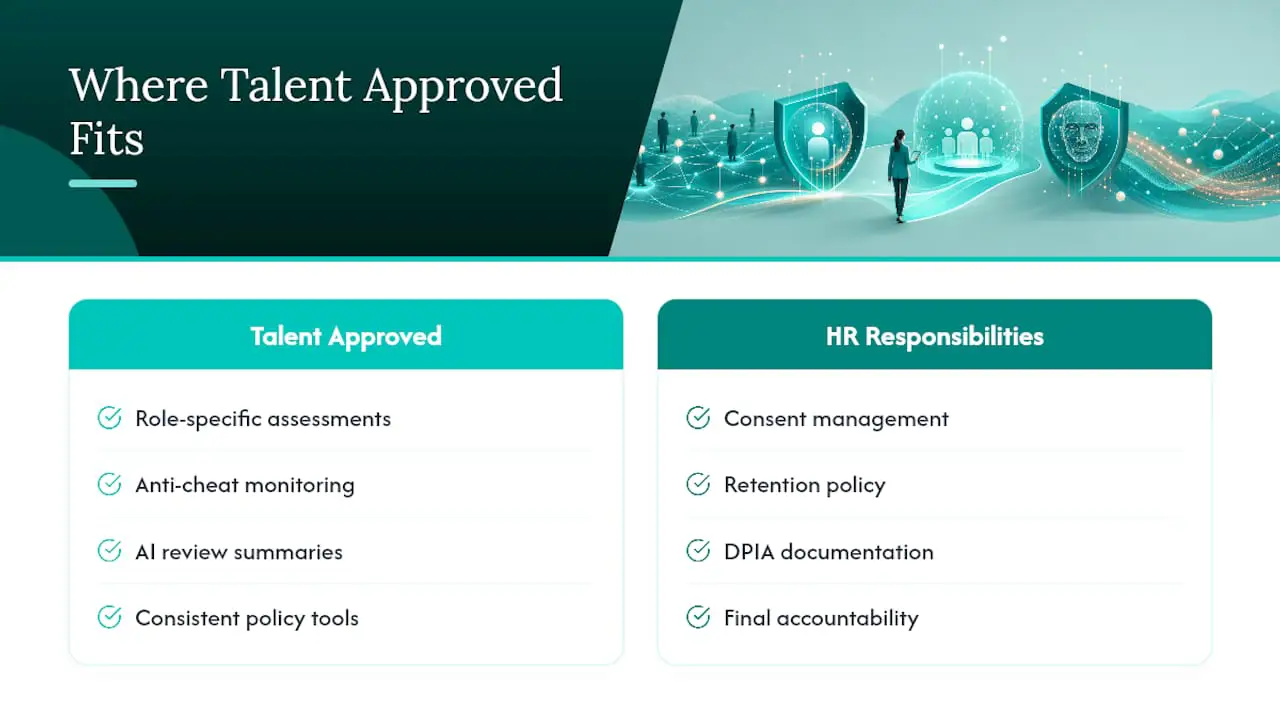
Some AI-powered assessment platforms offer features that build role-specific assessments from a job description, which supports the minimization principle directly: you’re testing only the skills the role requires, not running a generic battery that collects more than you need. Its built-in anti-cheat monitoring and AI-generated summaries give reviewers a documented, human-reviewable record instead of raw footage to sift through manually. None of this replaces HR’s ownership of consent, retention policy, or DPIA documentation. It gives you tools to execute that policy consistently.
Proportionate Proctoring Beats Blanket Surveillance
Defensibility beats aggression every time a candidate or regulator asks why you recorded what you recorded. Vague retention windows, opaque vendor bias claims, and “we’ll figure out access controls later” are the three red flags that should stop procurement cold. Build the paper trail before you build the test.
— Jimmie
How Talent Approved Supports Privacy-Aware Hiring Assessments
Talent Approved is the pay-as-you-go alternative to locking your team into a proctoring subscription before you know if the fit is right. You pay $5 per candidate who completes an assessment, with no recurring contract, so the tool scales with your actual hiring volume instead of a flat monthly fee regardless of how many candidates you test.
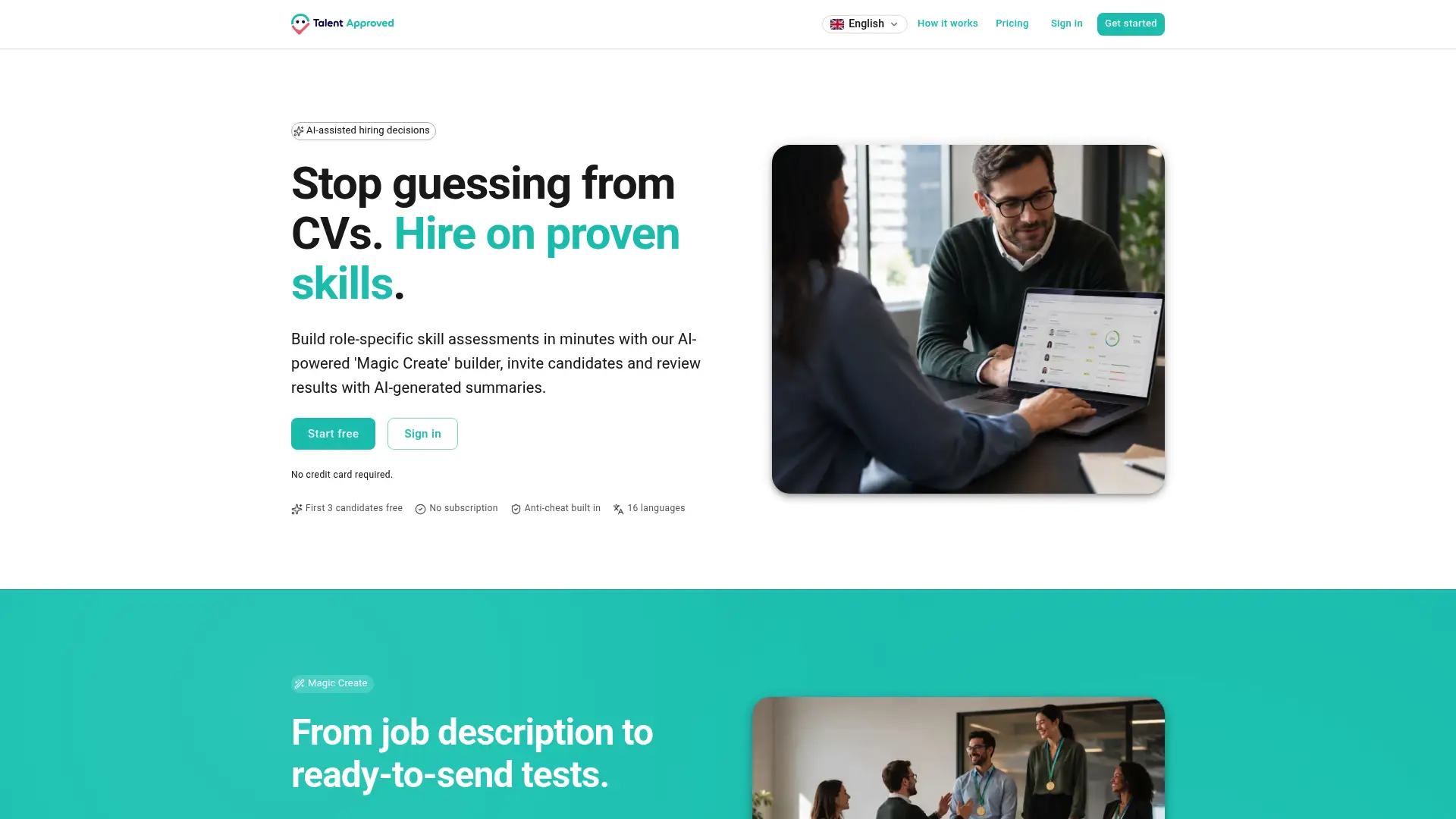
Certain products build role-specific tests from job descriptions quickly, which keeps data collection tied to what the job actually requires. They may include anti-cheat monitoring and AI-generated summaries to give your team a reviewable record for every flagged session, supporting the human-review step discussed above. If you’re evaluating vendors against the checklist in this piece, start by comparing what’s included at each pricing tier against the retention, access-control, and review capabilities your DPIA calls for.
Resources Worth Bookmarking for Policy Review
Keep these on file for legal review: the FPF Best Practices for AI and Workplace Assessment Technologies, Privacy in Practice Bulletin #9, and Littler’s CCPA/ADMT risk-assessment analysis.
Sources
- Future of Privacy Forum: Best Practices for AI and Workplace Assessment Technologies (2026)
- Privacy in Practice Bulletin #9: Remote proctoring
- Littler: Time HR professionals and in-house employment counsel to add HR data privacy risk
- Proctor360 blog: Remote proctoring pre-employment assessments (retention oversight)
FAQ
Is Online Proctoring Legal for Hiring Assessments?
Yes, in most U.S. jurisdictions, provided the employer gives candidates clear notice, limits data collection to what the role justifies, and follows applicable biometric and privacy laws like BIPA and CCPA/CPRA. Legality hinges on documentation and proportionality, not the technology itself.
What Should a Proctoring Privacy Policy Include?
It should state exactly what data gets collected (video, audio, screen, metadata), the retention window with an automated deletion trigger, who can access recordings, and the human-review process for flagged sessions. It should also name the vendor’s DPA and subprocessors.
How Long Should HR Retain Proctoring Recordings?
Best practice ties retention to the hiring decision plus a short, documented dispute window, then deletes automatically. Open-ended or “as needed” retention is a common compliance failure that increases legal exposure without adding hiring value.
Does Using an AI Proctoring Vendor Remove HR’s Legal Responsibility?
No. The employer remains the data controller regardless of which vendor runs the technology, which means HR still owns the DPIA, the lawful basis, and the retention decisions.
What Does Talent Approved Cost for Proctored Assessments?
Talent Approved charges $5 per candidate who completes an assessment, with no subscription required. That pay-as-you-go structure lets HR teams scale testing volume without committing to a fixed monthly cost.