
Employee Referral Email Samples for HR Teams

Three copy-paste employee referral email samples are included below, ready to send today. Every effective referral email shares four mandatory components: a clear role title with one or two key duties, top requirements, a link to the full job description, and explicit submission instructions. Use these templates as-is or adapt them in under five minutes.
Template 1: Program announcement (mass request) Subject: Know someone great? We’re hiring a [Job Title]
Hi team,
We’re looking for a [Job Title] to join [Department]. The role focuses on [1–2 key duties]. The ideal candidate has [top requirement 1] and [top requirement 2].
Know someone who fits? Submit their name and LinkedIn profile to [ATS link or email] by [date]. Referrals who are hired may be eligible for a $[bonus amount] bonus — see [bonus policy link] for eligibility rules.
[Link to full job description]
Thanks for helping us grow, [Your name]
Template 2: Personal ask to a high-performer Subject: Quick ask — do you know a strong [Job Title]?
Hi [Colleague name],
I’m reaching out personally because I think you know the kind of people we need. We’re hiring a [Job Title] who will [1–2 key duties]. Strong candidates have [top requirement].
If anyone comes to mind, just reply with their name and a one-line note on why they’d be a fit. I’ll handle the rest.
[Link to full job description]
Thanks, [Your name]
Template 3: Quick candidate intro to recruiter Subject: Referral for [Job Title] — [Candidate name]
Hi [Recruiter name],
I’d like to refer [Candidate name] for the open [Job Title] role. [He/She/They] has [top qualification] and [relevant experience]. I’ve attached their resume and LinkedIn below.
Please let me know the next steps.
[Referrer name]
Table of Contents
- Full library of referral email templates by scenario
- What every referral email must include and how to tailor it
- Subject lines that get your referral emails opened
- When and how to follow up with referrers
- Best practices and common mistakes in referral programs
- Key Takeaways
- FAQ
Full library of referral email templates by scenario
The three opening templates cover the most common moments. The scenarios below go further, giving you the right tone and format for every stage of the referral cycle.
Program launch announcement
Subject: We just launched our employee referral program — here’s how it works
Hi [Team],
We’re excited to announce our employee referral program. When you refer a qualified candidate who gets hired, you may earn a [bonus amount] referral bonus (see eligibility rules at [policy link]).
Open roles are listed at [careers page link]. To refer someone, submit their name, LinkedIn profile, and a brief note to [ATS link or email].
Questions? Contact [HR contact name] at [email].
[Your name], HR
Tone variation (casual):
Hey [Team], we’re officially running a referral program. Know someone who’d crush it here? Send their info to [link] and you could earn [bonus amount]. Details at [policy link].
Role-specific mass request
Subject: Urgent: We need a [Job Title] — refer someone by [date]
Hi [Team],
We’re actively hiring a [Job Title] for [Department]. Key responsibilities include [duty 1] and [duty 2]. We’re looking for candidates with [requirement 1] and [requirement 2].
Submit referrals at [ATS link] by [date]. Eligible referrers receive $[bonus amount] if the candidate is hired and completes [retention period].
[Link to full job description]
Targeted personal ask to a referral ambassador
Subject: [First name], we’d love your help finding a [Job Title]
Hi [Name],
You’ve been one of our strongest referral contributors, and I wanted to reach out directly. We’re struggling to fill a [Job Title] role — it’s a great opportunity for someone with [top skill].
If you know anyone, even a loose connection, a quick reply with their name is all I need. I’ll take it from there.
[Link to full job description]
Employee-to-recruiter candidate introduction
Subject: Referral: [Candidate name] for [Job Title]
Hi [Recruiter name],
I’d like to introduce [Candidate name], who I believe would be a strong fit for the [Job Title] opening. [He/She/They] currently works at [Company] as a [Role] and has [relevant experience or skill]. I’ve known [him/her/them] for [X years] through [context].
Resume and LinkedIn are attached. Happy to connect you directly if helpful.
[Referrer name]
Recruiter-to-hiring-manager candidate introduction
Subject: Referred candidate for your review — [Candidate name], [Job Title]
Hi [Hiring manager name],
[Referrer name] has referred [Candidate name] for the [Job Title] role. [Candidate name] has [top qualification] and [relevant experience]. I’ve reviewed their profile and believe they meet the core requirements.
Resume attached. Let me know if you’d like to schedule a screen.
[Recruiter name]
Referral follow-up (reminder)
Subject: Reminder: Referral program still open for [Job Title]
Hi [Team/Name],
A quick reminder that we’re still accepting referrals for the [Job Title] role through [date]. If you know someone who fits, now is a great time to send their info to [ATS link or email].
[Link to full job description]
Thank-you and bonus confirmation
Subject: Your referral bonus is confirmed — thank you, [Name]!
Hi [Name],
Great news: [Candidate name] has completed [retention period] and your referral bonus of $[amount] is being processed. You should see it in your [next paycheck / payment date].
Thank you for helping us build a stronger team. We hope you’ll keep referring great people.
[HR name]
Tone variation (formal):
Dear [Name], this message confirms that your referral bonus of $[amount] for referring [Candidate name] has been approved and will be included in your [date] paycheck, per the terms of our [referral policy link].
Template overview table
| Template | Best use | Suggested sender | Submission method |
|---|---|---|---|
| Program launch announcement | Introducing the program to all staff | HR / People Ops | ATS link or email |
| Role-specific mass request | Filling an active opening quickly | HR / Recruiter | ATS link |
| Targeted personal ask | Engaging high-referral contributors | HR / Hiring manager | Reply to email |
| Employee-to-recruiter intro | Submitting a specific candidate | Employee | Email with resume |
| Recruiter-to-hiring-manager intro | Routing a referred candidate internally | Recruiter | |
| Referral follow-up | Keeping the program visible | HR | ATS link |
| Thank-you / bonus confirmation | Closing the loop with the referrer | HR / Payroll | N/A (notification) |
Template comparison: friction and best-fit scenarios
| Template type | Typical friction | Best for |
|---|---|---|
| Mass announcement | Low engagement if role is vague | Broad awareness, new program launches |
| Personal ask | Requires list of target employees | Hard-to-fill roles, ambassador outreach |
| Candidate intro (employee) | Inconsistent format without a template | Structured programs with ATS intake |
| Follow-up reminder | Ignored if sent too frequently | Roles open 2+ weeks with low referral volume |
| Bonus confirmation | Delayed payment erodes trust | Closing the loop and encouraging repeat referrals |
What every referral email must include and how to tailor it
Effective referral emails share four non-negotiable components: a catchy subject line, specific role details with one or two key duties and requirements, a link to the full job description, and clear submission instructions. Missing any one of these forces the reader to go looking for information, and most won’t bother.

Beyond the basics, two factors determine whether a template actually works: the relationship between sender and recipient, and the seniority of the role being filled.
Customizing by relationship type
Peer to peer: Use a casual, direct tone. Skip the formal opener. Lead with the shared benefit — helping a friend land a good job — rather than the bonus. Messaging framed around mutual benefit tends to produce referrals who fit the culture better and stay longer.
Before: “We are currently seeking qualified candidates for the role of Senior Engineer. Please submit referrals via the ATS portal.”
After: “Hey [Name] — we’re hiring a Senior Engineer and I immediately thought of you. Know anyone who’d be a fit? Just reply with their name.”

Manager to team: Keep it professional but warm. Acknowledge that you’re asking for their network. Include the bonus amount and a one-click submission link.
Employee to external contact (referring a friend): Lead with the relationship, not the company. One sentence on why the role suits them, then the job link. A one-sentence elevator pitch in the body gives the employee something to “sell” when they forward the email.
Customizing by role seniority
Individual contributor (IC): Emphasize day-to-day work, team culture, and growth opportunities. Keep the tone conversational.
Manager-level: Highlight scope, team size, and impact. Candidates at this level evaluate culture fit carefully, so include a line about the team or leadership style.
Executive: Keep the email brief and confidential. Avoid mass sends. A direct, personal note from a senior leader carries more weight than a broadcast.
Customization checklist
Before sending any referral email, confirm:
- Subject line includes the role name or a clear benefit
- Role summary covers one or two specific duties (not a generic job description excerpt)
- Top one or two requirements are stated plainly
- Full job description link is live and correct
- Submission instructions are one step (reply, click a link, or email one address)
- Expected timeline or deadline is included
- Bonus amount and eligibility conditions are stated or linked
- Bonus exclusions (HR staff, hiring managers, relatives) are referenced or linked
Pro Tip: Add a two-sentence elevator pitch employees can copy and paste when they forward the email to a contact: “We’re hiring a [Job Title] at [Company]. It’s a great fit for someone with [skill] who wants [benefit].” This makes the referral shareable without extra effort.
Subject lines that get your referral emails opened
The single most important rule: include the role name or a concrete benefit, keep it to five to eight words, and add the bonus amount when it’s meaningful. Including the bonus in the subject line increases opens for incentive-driven requests, provided the bonus is clearly stated and genuinely attractive.
Announcement subject lines
- Know someone great? We’re hiring a [Job Title]
- Our referral program is live — earn $[amount]
- Help us find our next [Job Title]
- [Company] is hiring — refer a friend, earn $[amount]
- We’re growing: open roles + referral bonus inside
Targeted personal ask subject lines
- [First name], do you know a strong [Job Title]?
- Quick ask — we’re looking for a [Job Title]
- Your network might have our next [Job Title]
- I’d love your help finding a [Job Title]
- Referral bonus: $[amount] for a [Job Title] hire
Friend introduction subject lines
- Thought of you for this [Job Title] role
- You’d be great at this — [Job Title] at [Company]
- Open role that matches your background
- [Company] is hiring — wanted you to see this first
Follow-up subject lines
- Still open: [Job Title] referral bonus available
- Last chance to refer for [Job Title] — closes [date]
- Quick reminder: [Job Title] referral program
- We’re still looking — know anyone for [Job Title]?
A/B ideas
Benefit-led vs. urgency-led:
- Benefit: “Refer a friend, earn $[amount] — [Job Title] open”
- Urgency: “Referral deadline [date] — [Job Title] still open”
Test both on a segment of your team before a full send. Urgency-led lines perform better for hard-to-fill roles with a real deadline; benefit-led lines work better for ongoing program awareness.
Pro Tip: Most email clients show 40–90 characters of preview text after the subject line. Use that space to add the one detail that didn’t fit in the subject — the team name, the deadline, or the bonus amount. Write it as a continuation of the subject, not a repeat of it.
When and how to follow up with referrers
Timing matters as much as the message. Automated status updates remove the need for referrers to chase HR for progress, which directly increases repeat participation. A clear cadence also signals that the program is well-run.
Recommended cadence
- Day 0: Send the referral request or program announcement.
- Day 7–10: Send a reminder if the role is still open and referral volume is low.
- Within 48 hours of receiving a referral: Send a confirmation to the referrer.
- Within 5 business days: Update the referrer on whether the candidate is under review.
- When a milestone is reached: Send a status update (interview scheduled, offer extended, not moving forward).
- At hire + retention milestone: Send bonus confirmation.
Status update templates
Referral received:
Hi [Name], we’ve received your referral for [Candidate name] for the [Job Title] role. We’ll review their profile and update you within [X] business days. Thank you!
Candidate in review:
Hi [Name], [Candidate name] is currently under review by our hiring team. We’ll keep you posted on next steps.
Interview scheduled:
Hi [Name], great news — [Candidate name] has been invited to interview for the [Job Title] role. We’ll update you on the outcome.
Offer extended:
Hi [Name], we’ve extended an offer to [Candidate name]. We’ll confirm your referral bonus eligibility once they complete [retention period].
Not moving forward:
Hi [Name], thank you for referring [Candidate name]. After careful review, we’ve decided not to move forward with their application at this time. We appreciate you thinking of us and hope you’ll continue to refer great people.
Bonus payment confirmed:
Hi [Name], [Candidate name] has completed [retention period] and your referral bonus of $[amount] is confirmed. It will appear in your [next paycheck / payment on date]. Thank you!
Messaging tips for status updates
- State the candidate’s name and role in every update so the referrer knows which referral you mean.
- Avoid vague language like “under consideration” with no timeline. Give a specific next-step date.
- Never share confidential interview feedback with the referrer.
- For the “not moving forward” message, keep it brief and positive. The referrer’s relationship with the candidate is separate from the hiring decision.
Best practices and common mistakes in referral programs
High-performing referral programs stay top of mind through regular reminder emails and personalized outreach to referral ambassadors, not just one-off blasts. The difference between a program that generates steady referrals and one that fades after launch usually comes down to a handful of operational choices.
Best practices checklist
- State bonus amounts, eligibility rules, and exclusions clearly in every relevant email. Policies commonly exclude HR staff, hiring managers, and relatives to preserve fairness — say so plainly rather than burying it in a policy document.
- Structure bonus payments in tiers tied to retention (partial at hire, partial at 90 days, final at 180 days) to reduce employer risk while keeping referrers engaged.
- Make submission one step: a single ATS link, a reply-to email, or a dedicated referral page. Templates that ask for minimal information — name, LinkedIn, one-line reason — outperform long multi-field forms.
- Identify referral ambassadors (your highest-volume referrers) and send them personalized outreach for hard-to-fill roles.
- Run targeted referral pushes for urgent openings: temporarily increase the bonus, label the campaign with start and end dates, and send a dedicated email. Short-term elevated rewards create urgency and spike referral volume when the campaign is clearly time-limited.
- Send periodic reminders every two to four weeks while a role is open. Frequency beyond that risks being ignored.
- Track recruiter efficiency metrics like referral-to-hire rate, time-to-hire for referrals, and referrer engagement over time to measure program health.
Common mistakes and fixes
| Mistake | Fix |
|---|---|
| Vague role description in the email | Include one or two specific duties and the top requirement — not a long, generic job description excerpt |
| Bonus rules buried in a separate document | State eligibility, exclusions, and payout schedule in the email or link directly to the policy |
| Long submission form (10+ fields) | Replace with a one-click ATS link or a simple reply asking for name + LinkedIn |
| No updates to the referrer after submission | Automate status emails at each hiring milestone (received, reviewed, interviewed, decided) |
| One-off blast with no follow-up | Schedule reminder emails at 7–10 day intervals while the role is open |
| Same bonus for every role | Use tiered or role-specific bonuses; increase the amount for hard-to-fill positions |
Key Takeaways
A well-structured referral email with clear role details, a one-step submission link, and automated status updates is the single most reliable way to keep referral volume steady and referrers engaged.
| Point | Details |
|---|---|
| Four mandatory components | Every referral email needs a subject line, role summary with duties, a job description link, and one-step submission instructions. |
| Personalize by relationship and seniority | Peer-to-peer emails should lead with shared benefit; manager-level and exec outreach should be brief and direct. |
| Follow-up cadence | Send a confirmation within 48 hours of receiving a referral, then status updates at each hiring milestone. |
| Reduce friction to increase completions | Ask for name, LinkedIn, and one line — not a 10-field form. Low-friction submissions have higher completion rates. |
| Talent Approved for faster screening | Use Talent Approved’s AI skill assessments to screen referred candidates quickly and consistently before the first interview. |
What actually drives referral programs forward
Most referral programs fail quietly. Not with a dramatic drop in participation, but with a slow fade: the launch email goes out, a few referrals come in, and then nothing. The program becomes one more item on the HR calendar that nobody tracks.
The fix is rarely a better email template. It’s operational discipline. Programs that sustain referral volume do three things consistently: they send reminders on a schedule (not just when a role gets desperate), they close the loop with referrers every single time, and they make submission genuinely easy. When an employee has to log into a separate portal, fill out eight fields, and wait three weeks to hear anything, they refer once and never again.
The other thing worth saying plainly: framing matters more than most HR teams realize. An email that says “help a friend land a great job” tends to produce better cultural-fit referrals than one that leads with the bonus. The bonus is a reward, not the reason. When the message treats it as the reason, you attract employees who are optimizing for the payout, not employees who genuinely believe in the candidate.
Word-of-mouth program design follows the same principle: the strongest advocates refer because they’re proud of where they work, not because they’re chasing a check. Build the program around that motivation and the emails almost write themselves.
Screen referred candidates faster with Talent Approved
Getting referrals in the door is only half the work. Screening them quickly and fairly is where most HR teams lose time. Talent Approved gives you a faster, more consistent way to evaluate referred candidates before the first interview, so strong referrals don’t stall in a backlog.
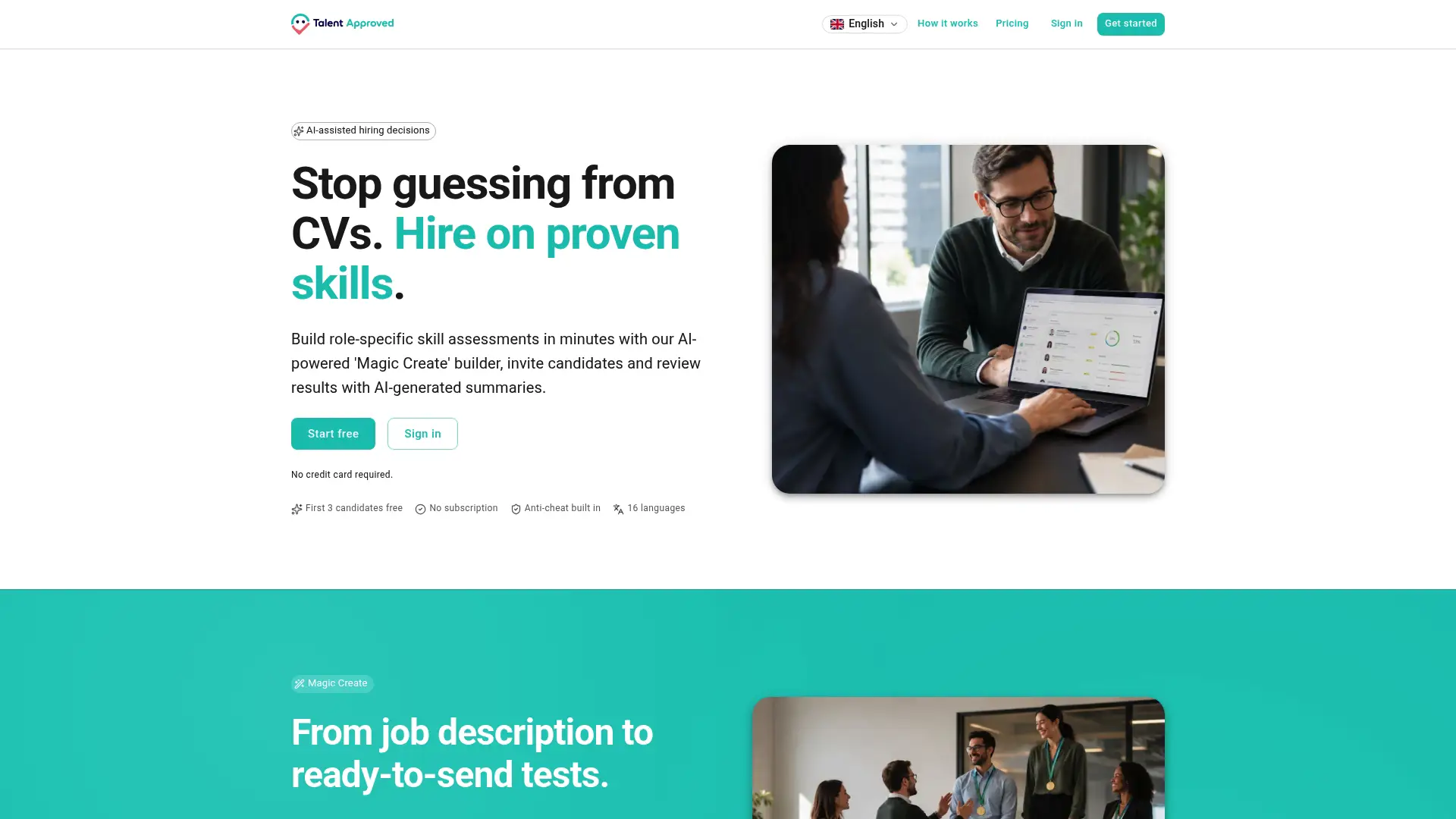
With Talent Approved’s AI skill assessment platform, you can:
- Cut time-to-hire by sending a role-specific skill test the moment a referral comes in, using the Magic Create feature to generate a tailored assessment from the job description in minutes.
- Reduce screening bias with structured, role-specific tests that evaluate every referred candidate on the same criteria, regardless of who referred them.
- Get a fast pass/fail signal through AI-generated performance summaries that highlight top candidates without requiring hours of manual review.
There’s no subscription required. You pay $5 per completed candidate assessment, so you only spend when a referral actually completes the test. Keep your referral policy transparent about the screening step so candidates know what to expect. Check pricing details and send your first assessment today.
Useful sources for referral program templates and policy
- Employee Referral Program Procedures — SHRM: Policy framework and program procedures from the Society for Human Resource Management.
- 8 Employee Referral Email Samples — Referral Rock: A library of scenario-based referral email samples with ambassador program guidance.
FAQ
How do you write a good referral email?
A good referral email states the role name, one or two key duties, the top requirement, a link to the full job description, and a single submission instruction. Lead with the shared benefit rather than the bonus.
How do I email someone about a job referral?
Address the person by name, mention your connection, and give one sentence on why the role suits them. Include the job description link and tell them exactly what to do next — reply, click a link, or send a resume to a specific address.
How do I ask someone for an employee referral?
Send a short, direct message that names the role, explains why you thought of them, and makes the ask easy: “Just reply with their name and I’ll handle the rest.” Asking for minimal information — name, LinkedIn, one-line reason — produces higher response rates than detailed submission forms.
What do I put in an employee referral?
Include the candidate’s full name, their LinkedIn profile or resume, the role you’re referring them for, and a one or two sentence note on why they’re a strong fit. Most programs also ask for your contact information and your relationship to the candidate.
How do I keep referrers engaged after they submit?
Send a confirmation within 48 hours, then a status update at each hiring milestone. Acknowledgment and periodic updates are the most reliable way to retain referrer engagement and encourage repeat participation.